Summary
A new feature that makes this possible has arrived: HUD Mode in the Hermes Desktop App.
Hermes HUD Mode Complete Guide 2026: The Overlay AI Agent That Sees, Understands, and Controls Your Screen
"Want an AI agent that can actually see, understand, and control what's on your screen?"
"Wouldn't it be great to have an AI floating over my screen, helping with whatever I'm looking at..." "Without switching windows, I want the AI to operate the app I'm working in..."
A new feature that makes this possible has arrived: HUD Mode in the Hermes Desktop App.
Unlike a normal AI chat that opens a separate window, HUD Mode floats Hermes over your current app as a semi-transparent layer (overlay). Hermes candirectly see, understand, and even operate the app underneath.
In a real demo, it handled a wide range of tasks — summarizing X (Twitter) posts, analyzing TradingView charts, and operating video editing software. The feature is drawing attention following the 57,000+ like Claude Code-related post that started this wave (the X post itself has 288 likes).
In this article, I'll fully explain how Hermes HUD Mode works, how to use it, and what it can do — in beginner-friendly terms.
What You'll Learn in This Article
- What Hermes HUD Mode is (and how it differs from conventional chat)
- What it can do (3 use cases demonstrated in the demo video)
- How it "sees, understands, and operates" the screen
- How to download Hermes Desktop
- Limitations and future outlook
What Is Hermes HUD Mode?
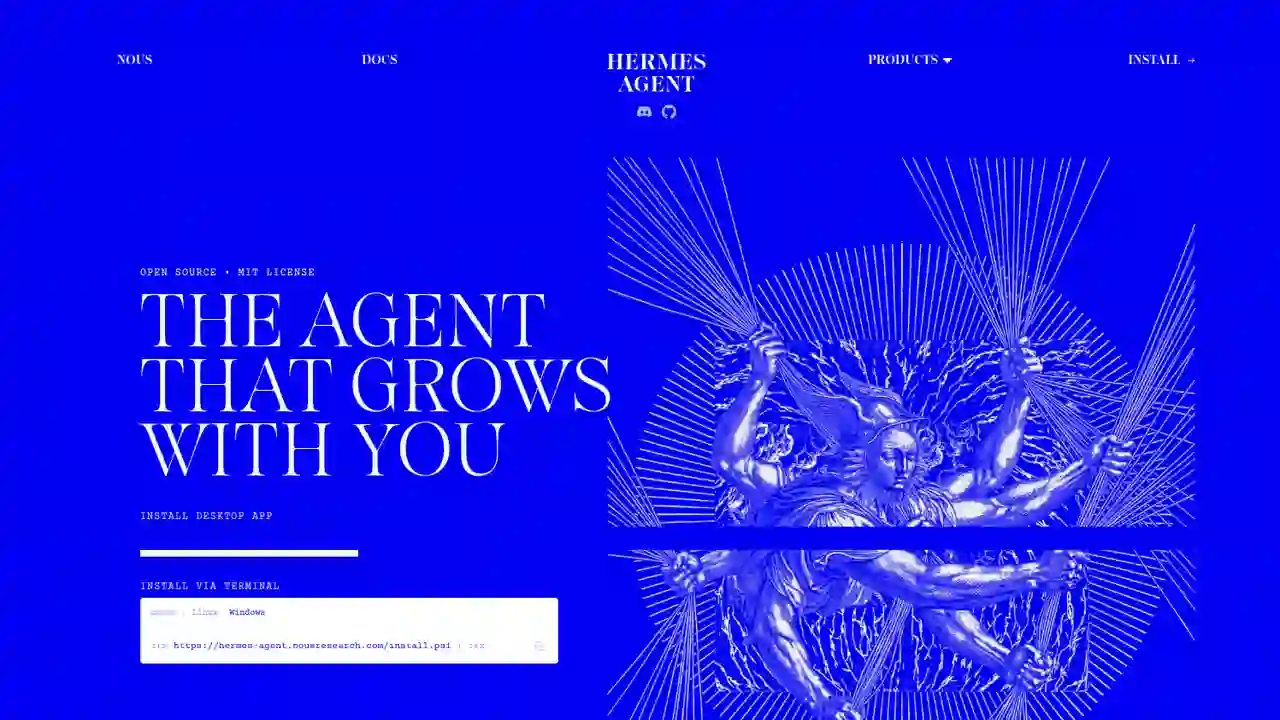
Hermes HUD Mode is a new feature added to the desktop app of "Hermes", the open-source AI agent developed by Nous Research.
Differences from Conventional AI Chat
| Item | Conventional AI chat | Hermes HUD Mode |
|---|---|---|
| UI form | Open a separate window | Semi-transparent layer over your app |
| Placement | Switch between windows | Drag it anywhere on screen |
| App awareness | Manually attach screenshots | Directly sees the app underneath |
| Actions | Only gives instructions | Can operate apps on your behalf |
| Work continuity | Switching interrupts your work | Ask without interrupting your work |
What It Can Actually Do (from the Demo Video)
X user tonbi (@tonbistudio) published a ~4.5 minute demo video demonstrating the following three things in HUD Mode:
1. Read and Summarize X (Twitter) Posts
Hermes directly recognizes and explains the content of X posts and videos open underneath.
- Summarizes posts in your timeline
- Reads and explains video content
- "This post is long, summarize it" — done right there
2. Analyze TradingView Charts
Show Hermes an NVIDIA 1-hour chart, and it analyzes it automatically.
- Automatically identifies and explains Fair Value Gaps (FVGs)
- Points out "where the unfilled gaps are"
- Analyzes "bullish / bearish imbalances"
Even specialized work like chart analysis gets done just by showing the screen.
3. Operate Video Editing Software (Clipchamp)
It can actually perform app operations too.
- Open a new project
- Add files
- Actually performs the clicks
A "bonus feature" is also shown at the end of the video.
How It "Sees, Understands, and Operates"
The core of HUD Mode is a 3-step loop: "See (View) → Understand → Operate (Use)".
| Step | Details |
|---|---|
| See (View) | Captures the screen of the app you are working in (screenshot, etc.) |
| Understand | Interprets text, charts, and UI elements on screen with a vision model |
| Operate (Use) | Executes clicks, typing, and other actions to actually drive the app |
The easiest way to think about it: HUD Mode extends Hermes' existing "browser automation" and "screenshot analysis" capabilities across your entire desktop.
How to Download Hermes Desktop
To use HUD Mode, you need the Hermes Desktop app. Download it from the official site below.
Download URLs
Official site: https://hermes-agent.nousresearch.com/
| OS | Download |
|---|---|
| macOS (12+) | [object Object] |
| Windows (10/11) | [object Object] |
| Linux (any distro) | Install via terminal |
On Linux:
curl -fsSL https://hermes-agent.nousresearch.com/install.sh | bash
On Windows (PowerShell):
iex (irm https://hermes-agent.nousresearch.com/install.ps1)
Note: The
?build=parameter in the download URLs is a build number — visit the official site to check for the latest version.
Hermes at a Glance (Recap)
Hermes, the foundation of HUD Mode, is an AI agent with the following characteristics:
- Self-improving agent: the more you use it, the more skills it learns and the smarter it gets
- Open source by Nous Research: MIT license, supports macOS / Windows / Linux
- Multi-platform: besides the desktop app, the same agent runs on Telegram, Discord, CLI, and more
- 60+ built-in tools: search, browser, image generation, voice, and more
- Provider-agnostic: works with OpenRouter, OpenAI, Anthropic, Google, local models, and 20+ others
Limitations & Future Outlook
- New feature, limited info: as of August 2026, there is no standalone official doc page yet (the demo video and X post are the main sources)
- Desktop app only: HUD Mode is a desktop app feature, not available in the CLI or messaging platforms
- UI-change handling is key: commenters have already asked "how reliably does it handle tasks when the interface changes unexpectedly?"
- Rapid evolution ahead: the field is moving fast, and requests like cron integration are already appearing
Summary
Hermes HUD Mode is a new form of overlay AI agent that "sees, understands, and operates" your screen.
- It lives as a semi-transparent layer over your app instead of a separate window
- Demonstrated use cases: X post summaries, TradingView chart analysis, and operating video editing software
- Ask it "read this" or "analyze this chart" without interrupting your work
- You need the Hermes Desktop app (official site — free download)
"Let the AI understand what's on my screen and help me right there" — experience this next-generation AI assistant by installing Hermes Desktop today.
Related reading
-
Hermes Quota Plugin: See Your AI Provider Quota at a Glance (2026 Guide)
- Hermes Agent Complete Guide 2026: The Most Powerful Open-Source AI Agent by Nous Research
- Learn Claude Code Complete Guide 2026: The Free Learning Site That Builds Your Own AI Agent from Scratch in 20 Sessions
- Learn Harness Engineering Complete Guide 2026: The Free Course That Makes AI Agents Reliable with a "Harness"
Share this article
Related articles
Aug 14, 2026
Hermes Agent Bot Mode Complete Guide 2026: Turn Your AI Agents into a Team of Named Bots with Roles, Models, Memory, and Avatars
Aug 9, 2026
Cloudflare Kitesurf Complete Guide 2026: The Agent-First Browser That Uses Up to 7x Less Memory Than Chromium

Aug 5, 2026
Cloudflare Wallets Complete Guide 2026: The New Payment System Where AI Agents Pay Automatically, Explained for Beginners

Aug 15, 2026
DeepSeek Harness Desktop Complete Guide 2026: The Command-Free Desktop App for the Official AI Agent, Fully Explained
Aug 6, 2026
Cloudflare OS Complete Guide 2026: The Open-Source AI Operating System for Your Company, Explained for Beginners

Jun 26, 2026
Qwen-AgentWorld Complete Guide 2026: The Revolutionary Approach That Makes AI Predict Environments Instead of Actions