Summary
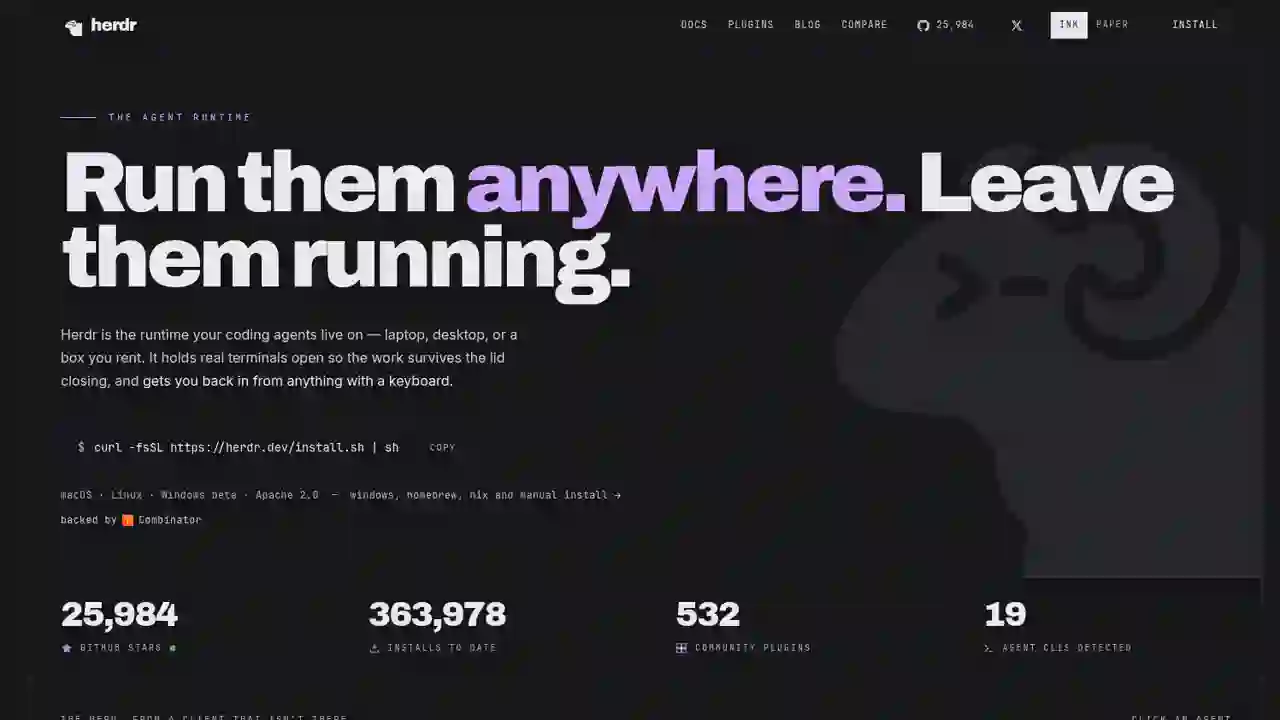
The answer to these problems is the hot open-source project of 2026, Herdr. It's anagent runtimethat lets you run19 kinds of AI coding agents — Claude Code, Codex, Cursor, Grok, Hermes, and more — all in one terminal, and have agents talk and collaborate with each other.
Herdr Complete Guide 2026: The New Standard Runtime Where Any Agents Can Talk to Each Other
"Want different AI agents to talk to each other directly, without a clunky setup gluing them together?"
「I want to run Claude Code and Codex at the same time and have them work together…」 「Running multiple agents in separate terminals, I lose track of who's stuck…」
The answer to these problems is the hot open-source project of 2026, Herdr. It's anagent runtimethat lets you run19 kinds of AI coding agents — Claude Code, Codex, Cursor, Grok, Hermes, and more — all in one terminal, and have agents talk and collaborate with each other.
On GitHub it has gathered 25,000+ stars,360,000+ total installs, and530+ community plugins. It's backed by Y Combinator.
This guide fully explains Herdr's mechanism, agent-to-agent conversation, setup, and usage for beginners.
What you'll learn in this article
- What Herdr is (why it's called an "agent runtime")
- The mechanism that lets agents talk to each other
- Setup (one command)
- Real usage (CLI and automation commands)
- Supported agents and cautions
What is Herdr?
Herdr is a runtime where AI coding agents "live."
Traditionally, running multiple agents at once meant opening and managing separate terminals. Herdr centralizes them all on one server.
Key features
- Always running: a background server. Even if you close the lid or lose network, agents keep working
- Agents can talk to each other: via CLI and socket API, an agent can send prompts to another agent
- Automatic state detection: shows each agent's status — working / blocked / idle
- Run existing agents as-is: auto-detects 19 kinds including Claude Code, Codex, Cursor, opencode, Grok, Copilot, Hermes
Why "agent-to-agent conversation" is impressive
Herdr's biggest feature: agents can talk to each other.
Mechanism (diagram)
Setup (one command)
curl -fsSL https://herdr.dev/install | bash
That's it. Herdr detects installed agents automatically.
Usage
Start Herdr
herdr
The server starts, and agents you have installed (Claude Code, Codex, Cursor, etc.) are detected automatically.
Give another agent a job
agent prompt B "Refactor the auth module and report back"
Wait for completion
agent wait B
Waits until Agent B finishes (or becomes blocked).
Check status
The sidebar shows working / blocked / idle for all agents at a glance.
Supported agents (19 kinds)
Claude Code, Codex, Cursor, opencode, Grok, Copilot, Hermes, and more — 19 kinds in total. Community plugins: 530+.
Cautions and limitations
- blocked detection is carefully designed: with the screen-manifest method, it only marks blocked when a known approval/question/permission UI is matched (prevents false positives)
- Approvals are human-only: messages from other agents never replace human approval
- Some features are still early: while a new agent's UI isn't supported, it may show idle instead of blocked
- One session per agent: physically, one pane = one agent as a rule
Summary
Herdr is a new foundation for "housing multiple AI coding agents in one runtime and letting them talk to each other."
- Agent-to-agent conversation:
agent promptassigns work to another agent,agent waitwaits for completion - Always running: the server works in the background; work continues even when the lid is closed
- Status visibility: working / blocked / idle at a glance in the sidebar
- 19 agents supported: use existing agents as-is (Claude Code, Codex, Cursor, Grok, Hermes, etc.)
- Y Combinator-backed and open source (Apache 2.0 / GitHub: herdrdev/herdr)
For anyone who wants to "divide work among agents" or "manage multiple agents' parallel work on one screen," this is the tool you've been waiting for. Install it with one command, assign different tasks to two agents, and experience the future where agents talk to each other.
Related reading
- Herdr v0.9: Manage AI Agents Across Multiple Machines from One Terminal (2026)
- DeepSeek Harness Explained 2026: What It Can Do, How It Differs from Codex & Claude Code, and the Best Way to Use It
- AgentSky Guide 2026: Run Claude Code, Codex & Hermes in the Cloud with One API (The OpenRouter for Agents)
Share this article
Related articles
Aug 8, 2026
Claude Code Cross-Session Messaging Complete Guide 2026: Sessions Can Now Send Messages to Each Other
Aug 12, 2026
Learn Harness Engineering Complete Guide 2026: The Free Course That Makes AI Agents Reliable with a "Harness"
Jul 30, 2026
Perplexity Numbat Complete Guide 2026: The Open-Source Security Layer That Visualizes & Blocks AI Agent Actions
Aug 11, 2026
Unsloth Desktop Complete Guide 2026: The First Desktop App to Run and Train Models Locally
Aug 27, 2026
Archify Guide 2026: The AI Agent Skill That Draws Verified Architecture Diagrams (Mermaid Alternative)
Jun 22, 2026
AI Coding Agent Complete Comparison 2026: Cursor vs Claude Code vs Codex vs Hermes vs Fugu