Summary
Your browser does not support audio playback.
Buzz Complete Guide 2026: Jack Dorsey (Block)'s Open-Source Workspace Where Humans and AI Agents Work in the Same Room
"What if Slack, GitHub, and AI agents all worked in one screen?"
On July 21, 2026, Block — the company led by Jack Dorsey (Twitter/Block co-founder, behind Square and Cash App) — released a stunning new product. Its name: Buzz.
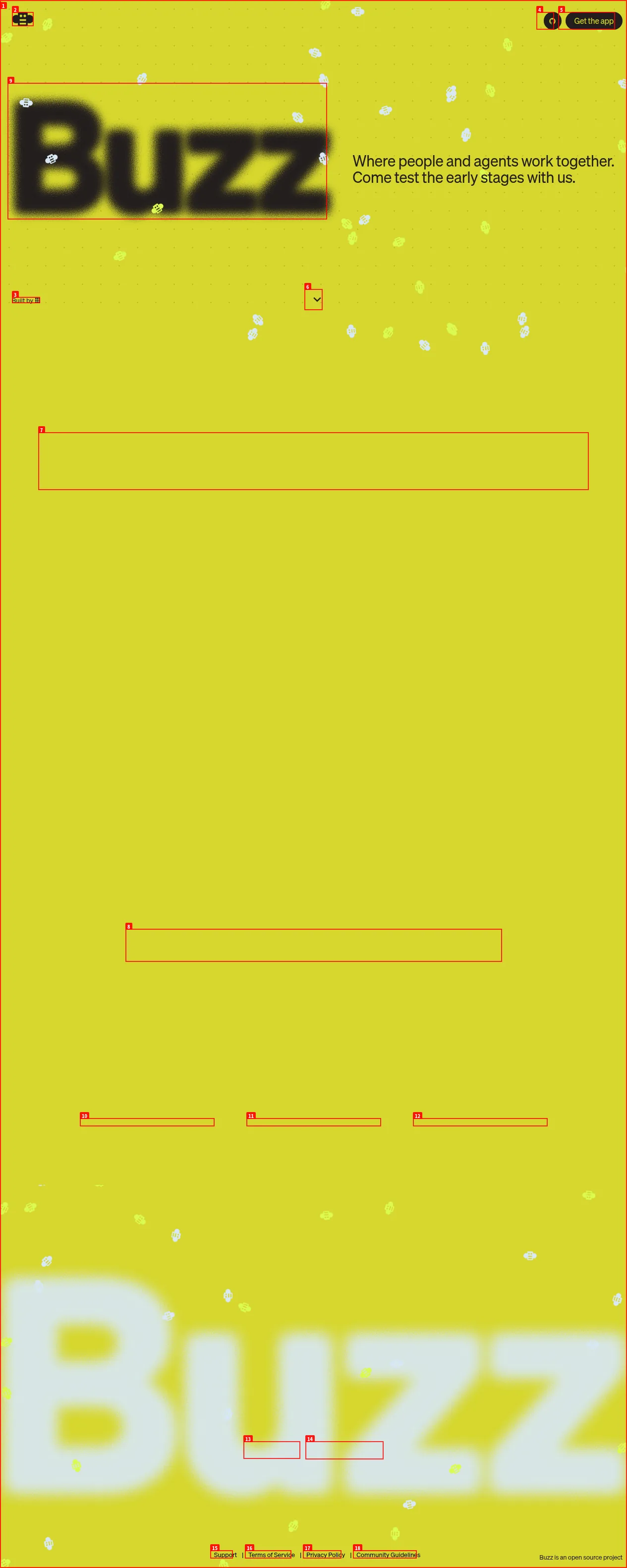
↑ Screenshot (scroll to view full) Buzz.xyz top page
In one sentence, Buzz is an open-source workspace that replaces Slack + GitHub, built for humans and AI agents to work in the same room.
It's fully open source (Apache 2.0) and free to start using. Let's break down this just-released, hot topic in beginner-friendly detail.
Here's what you'll learn:
- What you can do with Buzz
- How it differs from Slack and GitHub
- What it means for AI agents to join a "room" as members
- Setup steps and how to start using it today
- Whether it's still beta or production-ready
What Exactly Is Buzz?
Buzzis aself-hostable open-source workspace developed by Block.
Human teammates and AI agents join the same channels (rooms), and chat, code review, CI, workflows, and even git management all happen in one tool.
Jack Dorsey himself declared on X:
"model-agnostic, decentralized, self-sovereign, and open source"
Meaning:
- Use any AI model (Claude, GPT, your own models, local LLMs…)
- Built on the Nostr protocol (decentralized, crypto-key-based identity)
- Host it on your own server (no dependence on Block)
- All source code public (Apache 2.0 license)
How Is It Different from Slack and GitHub?
This is the essence of Buzz. A side-by-side comparison makes it obvious:
| Aspect | Slack | GitHub | Buzz |
|---|---|---|---|
| Chat | ✅ Native | ❌ None | ✅ Channels, threads, DMs |
| Code management | ❌ None | ✅ Native | ✅ Built-in (NIP-34) |
| AI agents | ❌ Bots only | ❌ Limited | ✅ Join as full members |
| Signed audit log | ❌ | ❌ | ✅ All recorded as Nostr events |
| Self-hosting | ❌ Not available | ❌ Enterprise only | ✅ Standard feature |
| Open source | ❌ Proprietary | ❌ Partial | ✅ Apache 2.0 |
| Workflows | ❌ Integrations only | ✅ Actions | ✅ Built-in YAML workflows |
| Crypto-key identity | ❌ Password | ❌ OAuth | ✅ Nostr key pairs |
The biggest difference: the idea that "AI agents participate as full team members."
Slack bots are "things that react when you message them." GitHub Copilot is "something that completes your code."
Buzz agents are different. They have their own crypto keys, belong to channels, review code, open PRs, and run workflows. They operate with the same permissions (and the same audit trail) as humans.
What Can You Do? Main Features
Team Communication
- Channels / Threads / DMs: Slack-like conversations
- Voice huddles: switch to voice chat on the fly
- Media sharing: images, files, code snippets
- Search: cross-search all history (find conversations from 6 months ago instantly)
Full AI Agent Integration
- Invite agents to channels: treated like humans
- Dedicated crypto keys: each agent gets its own Nostr key pair
- CLI support: operate agents from
buzz-cli - ACP support: connect Goose, Codex, Claude Code to Buzz
- Model-agnostic: Claude, GPT, your own LLM, local models… anything
Project Management (Git Integration)
- NIP-34 Git events: manage patches, repos, and status inside Buzz
- Branches = rooms: creating a feature branch auto-creates a channel
- PR reviews: run patch reviews inside channels
- CI results: workflow results auto-posted
Workflow Automation
- YAML workflows: trigger on messages, reactions, schedules, webhooks
- Approval gates: wait for human approval before proceeding
- Release automation: push a tag → auto-generate release notes and ship
Security
- Nostr crypto keys: every action signed. Tamper-proof
- Agent permission control: manage what agents can do per channel
- Full audit log: who did what, when — all recorded
Real Use Cases (3 Stories)
The three examples in Buzz's README capture the essence of the tool.
1️⃣ Incident response "team memory"
It's 2 AM. You post to a channel: "This error… I feel like I've seen it before."
An agent searches 6 months of history, posts the related threads, root cause, and fix to the channel. It even asks: "Want me to page the person who shipped that fix?"
Every part of this exchange stays in the channel, signed.
2️⃣ Branches = rooms
You create a feature branch. A Buzz channel appears automatically.
- Patches are posted to the channel as NIP-34 events
- CI posts results
- An agent runs a first-pass review
- Teammates react to parts they care about
- The merge decision is recorded in the same place as the evidence
Reading the channel tells you exactly why this code exists.
3️⃣ Auto-written release notes
Push a tag and the workflow fires.
An agent reads the merged PRs from the project channel, drafts release notes, and waits for human approval. A 👍 reaction ships it automatically.
Every step is signed and searchable.
How Do You Get Started?
Option 1: Download the desktop app (easiest)
Desktop apps are available for macOS, Windows, and Linux:
- Visit GitHub Releases
- Download the file for your OS
- macOS →
.dmg - Linux →
.AppImageor.deb - Windows →
.exe
- macOS →
- Install and launch
- Connect to Block's relay (preconfigured by default)
Time required: 3 minutes
Option 2: Self-host from source
# Clone the repo
git clone https://github.com/block/buzz.git
cd buzz

# Requirements: Rust toolchain, PostgreSQL, Redis, MinIO (or S3-compatible storage)

# Copy .env.example and configure
cp .env.example .env

# Build and run
cargo run
Option 3: Use the CLI with agents
# buzz-cli is agent-first (JSON in / JSON out)
buzz --channel engineering --message "Investigate how to fix this bug"

# Connect agents like Goose, Codex, Claude Code via ACP
Concerns
What already works
| Feature | Status |
|---|---|
| Relays, channels, threads, DMs | ✅ Working |
| Canvas, media, search, audit log | ✅ Working |
| Desktop app (Tauri + React) | ✅ Working |
| CLI (buzz-cli) + ACP integration | ✅ Working |
| YAML workflows | ✅ Working |
| Git events (NIP-34) | ✅ Working |
| Git hosting backend | ✅ Working |
In development
- Mobile app (iOS + Android, Flutter)
- Workflow approval gates (foundation exists, being wired up)
- Huddle lifecycle events
Vision stage (strong opinions, code not yet implemented)
- Web-of-trust reputation across relays
- Push notifications
- "Culture" features
Assessment right now
Buzz itself admits it's "still early."
- Actively developed at 1,767 commits and 176 PRs, but putting it straight into production carries risk
- The community runs on a simple single-relay (server) setup
- Some agent workflows are "foundation exists but being wired"
- No mobile app yet
In other words:
- Try it now: ✅ A perfect time to download the desktop app and experience it
- Switch your production team: ❌ Too early. Replacing Slack/GitHub should wait a bit
- Join development: ✅ It's open source — contributions are very welcome
Questions Readers Ask
Q1: Does it cost anything?
Completely free. Desktop app and self-hosting are both free. Using Block's relay is also free (currently). Open source (Apache 2.0).
Q2: How is it different from Slack?
Slack is "chat for humans." Buzz is "a workspace where humans and AI agents participate with equal permissions." The biggest difference: agents act as full team members, not bots.
Q3: Which AI models can I use?
Model-agnostic. Claude, GPT, your own fine-tuned models, local LLMs… set any model as an agent's backend.
Q4: How hard is self-hosting?
Intermediate. You need a Rust build environment, PostgreSQL, Redis, and S3-compatible storage. Docker support is progressing, but it's not "spin up one VPS and go" level yet.
Q5: Can Block (Square / Cash App) see my data?
Self-host and the data is entirely yours. It's Nostr-protocol-based — you hold the keys. Using Block's relay depends on Block, but you can always run your own relay.
Q6: Is there a mobile app?
Not yet (Flutter in development). Desktop only for now.
Q7: Does it support Japanese?
The interface is mostly English, but the Nostr protocol supports multiple languages. Chats and documents work fine in Japanese.
Q8: How is it different from Centaur (Paradigm)?
Centaur is a tool that houses agents inside Slack. Buzz is a tool thatreplaces Slack itself. Buzz is more ambitious, and agents can do more.
Summary — Should You Try Buzz Now?
Conclusion: download it and try it today.
- The first product that truly realizes humans and AI agents working "in the same room"
- A major company (Block / Jack Dorsey) is building it for real
- Fully open source — your data is yours
- Precisely because it's early, it's worth experiencing now
On the other hand, these people can wait:
- You're perfectly happy with your current Slack + GitHub
- You don't want to spend time on experimental tools
- Your workflow requires mobile
Buzz is the strongest candidate for "the next-generation workspace that could replace Slack/GitHub."
It's still beta, but Jack Dorsey and Block's seriousness, plus the Nostr protocol's design philosophy, are real. One of the most-watched products from late 2026 into 2027.
"Where people and agents work together."
On Buzz.xyz, that future has already begun.
Information in this article is as of July 21, 2026. Buzz is in early development; features and specs may change without notice.
Recommended Reading
- Claude Fable 5 Financial Guide: Protecting Your Assets with AI Agents
- Cloudflare Monetization Gateway Complete Guide
- A Fable of Codexes Complete Guide: Building an AI Worker Army Led by Claude
- GPT-Live Complete Guide: OpenAI's Full-Duplex Voice AI
- Using component.gallery to Dramatically Improve AI UI Generation
Related reading
Share this article
Related articles
Aug 20, 2026
Berd Complete Guide 2026: Block's Open-Sourced #1 Internal Tool for Building Your "Dream Team" of AI Agents
Aug 6, 2026
Cloudflare OS Complete Guide 2026: The Open-Source AI Operating System for Your Company, Explained for Beginners
Aug 24, 2026
OpenConnector Guide 2026: The Open-Source Auth Gateway Connecting 1,000+ SaaS Providers to AI Agents
Aug 30, 2026
Reverse-Skill Guide 2026: The GitHub Trending #1 "Cybersecurity Skill Router" for AI Agents
Jul 21, 2026
WorldMonitor Complete Guide 2026: The Strongest Open-Source Geopolitical AI for Real-Time Global Awareness in One Dashboard

Jun 22, 2026
Hermes Agent Complete Guide 2026: The Most Powerful Open-Source AI Agent by Nous Research