Summary
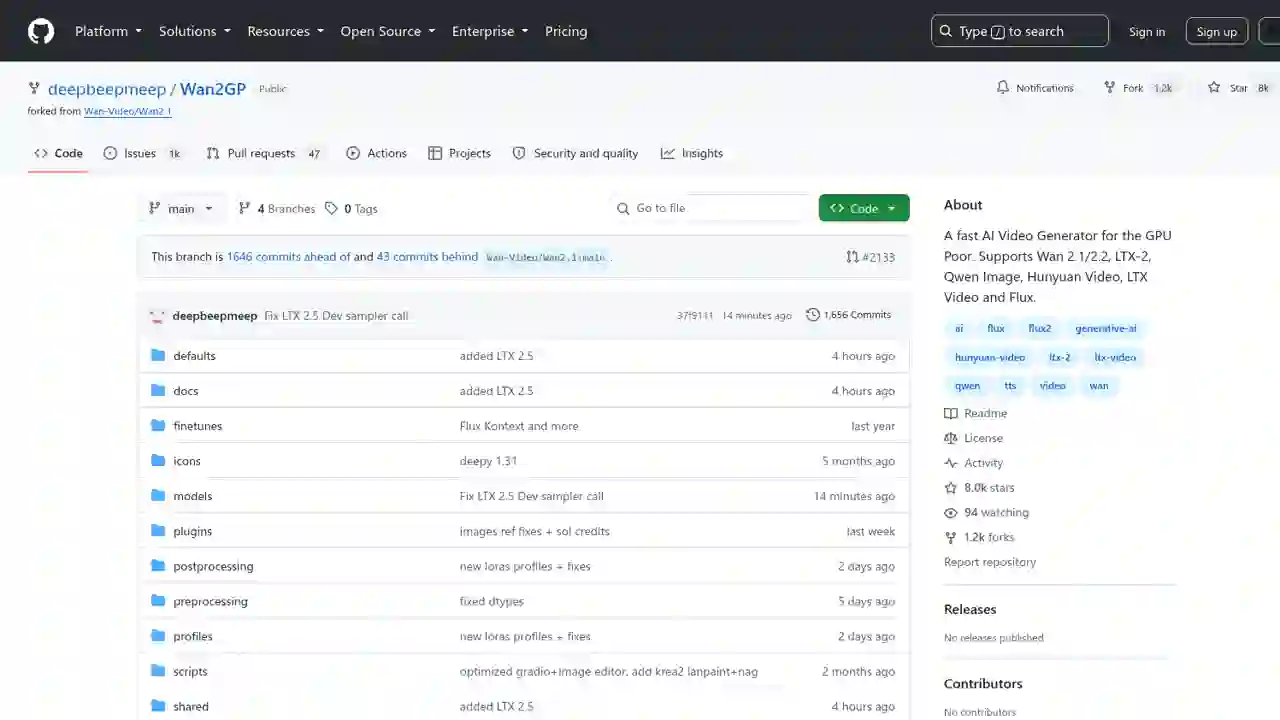
AI video generation has a reputation for requiring a powerful GPU. But Wan2GPis anopen-source AI generation suite built specifically for the "GPU poor."
Wan2GP Complete Guide 2026: The Ultimate AI Video Generator for the GPU Poor, Explained for Beginners
"Want to generate AI video but your GPU is too weak, and every tool claims you need top-of-the-line hardware?"
"Want to generate AI video, but your GPU is too weak..." "What makes Wan2GP so great?"
AI video generation has a reputation for requiring a powerful GPU. But Wan2GPis anopen-source AI generation suite built specifically for the "GPU poor."
It runs on as little as 6GB of VRAM, supports older RTX 10-series/20-series and AMD GPUs. You can generatevideo, image, audio, and TTS all in one app.
It's a popular project with 8,000+ stars on GitHub. In this article, I'll explain what makes Wan2GP great, in beginner-friendly terms.
What You'll Learn in This Article
- What Wan2GP is
- What makes it great (7 strengths)
- Supported models (video, image, audio)
- Installation methods (one-click, manual, Docker)
- How to use it
- Pros and cons
What Is Wan2GP?
Wan2GP is an open-source "one-stop AI generation super app" developed by DeepBeepMeep.
Official description: "The best open source generative models accessible to the GPU poor"
- Generates and manages video, image, audio, and TTS in one app
- Runs 100% locally and free
- Optimized for the "GPU poor" = low VRAM and older GPUs
What Makes It Great? (7 Strengths)
1. Runs on Low VRAM (a lifesaver for the GPU poor)
- Runs select models with as little as 6GB of VRAM
- MiniMax H3 generates 5-second video (124 frames) with just 5-6GB of VRAM
- Supports older RTX 10-series/20-seriesandAMD GPUs (RDNA 2-4)
2. Many Models in One App
Use the main open models for video, image, and audio all in one app.
- Video: Wan 2.1/2.2, MiniMax H3, LTX-2, Hunyuan Video, LTXV, Kandinsky, and more
- Image: Qwen Image, Z-Image, Flux 1/2 (Klein/Chroma), HiDream, and more
- Audio/TTS: Qwen3 TTS, Ace Step, Omnivoice, Index TTS2, Chatterbox, and more
3. Easy Browser Interface
- Full web interface for intuitive control from the browser
- Gallery to browse and reuse generations, shareable setting templates
- Built-in input preparation tools — mask editor, background remover, pose/depth extraction
4. Extreme Optimization for Low Specs
- Supports many quantization formats: int8, fp8, GGUF, NVFP4, Nunchaku
- Auto-downloads model files suited to your hardware
- A trick: disabling your browser's GPU usage can save 1-5GB of VRAM
5. Easy LoRA Customization
- Customize each model with LoRAs
- Reuse LoRAs created in other apps
- Add finetunes from Hugging Face or CivitAI
6. Generation Queue and Headless Mode
- Queue video, image, and audio jobs to process later
- Headless batch processing from the command line
- WanGP API lets you add generation to your own apps
7. "Deepy" AI Agent Included
- Deepy, a low-VRAM offline agent, orchestrates generation jobs and handles tedious tasks like transcription and video splitting
- Built-in MCP server lets AI agents control it directly
Supported Models
| Category | Supported models |
|---|---|
| Video | Wan 2.1/2.2, MiniMax H3, LTX-2, Hunyuan Video 1/1.5, LTXV, Kandinsky, LongCat, MagiHuman |
| Image | Qwen Image, Z-Image, Flux 1/2 (Klein/Chroma), HiDream, Krea 2, Ideograms v4, SD 1.4 (plugin) |
| Audio/TTS | Qwen3 TTS, Ace Step 1/2/XL, Omnivoice, Index TTS2, KugelAudio, HearMula, Chatterbox, Stable Audio 3 |
Installation
Method 1: One-click Scripts (easiest)
Provides scripts for Windows (.bat) and Linux/macOS (.sh).
- Run
scripts/install.bat(orinstall.sh) - Choose the install type (Auto/Manual)
- When done, launch with
scripts/run.bat(orrun.sh)
For Windows beginners, Wan2GP Desktop(by GKArtist) orPinokio are recommended.
Method 2: Manual Install (RTX 20-series to 50-series)
git clone https://github.com/deepbeepmeep/Wan2GP.git
cd Wan2GP
conda create -n wan2gp python=3.11.14
conda activate wan2gp
pip install torch==2.10.0 torchvision==0.25.0 torchaudio==2.10.0 --index-url https://download.pytorch.org/whl/cu130
pip install -r requirements.txt
Method 3: Docker (Ubuntu, Debian)
./run-docker-cuda-deb.sh
It auto-detects your GPU model and VRAM, then launches with optimal settings.
How to Use It
Launch
python wgp.py
After launch, your browser opens the Web UI.
Basic workflow
- Choose a model: select from supported models
- Enter a prompt: describe what to generate (prompt enhancer built in)
- Generate: create video, image, or audio
- Manage and reuse: browse and reuse from the gallery
Headless (batch) processing
# Process a saved queue
python wgp.py --process my_queue.zip
Process a queue you saved in the Web UI without the browser.
VRAM-saving trick
Disabling your browser's GPU usage can save 1-5GB of VRAM.
scripts/start-chrome-no-gpu.bat  # Windows
# or
scripts/start-chrome-no-gpu.sh   # Linux/macOS
Pros and Cons
Pros
- Runs on low VRAM (6GB+) — serious AI generation even for the GPU poor
- Supports older GPUs and AMD GPUs
- Manage video, image, audio in one app
- Fully open-source and free
- Many quantization formats and extreme optimization for low specs
- Queue, headless, and API enable automation
Cons and notes
- Some advanced features shine on GPUs with enough VRAM/RAM
- Required VRAM varies by model (higher-quality models need more)
- Needs some PC skills (Windows users: Desktop launcher recommended)
- New model support updates fast and can be hard to keep up with
Summary
Wan2GP is a groundbreaking open-source suite that lets the "GPU poor" do serious AI video, image, and audio generation.
- Runs on as little as 6GB of VRAM, with support for older and AMD GPUs
- Manage video, image, audio, and TTS in one app
- A popular project with 8,000+ stars
- Fully free, open-source, and runs locally
For anyone who "gave up on AI video generation because they don't have a powerful GPU," Wan2GP is a long-awaited lifesaver.
Reference: Wan2GP GitHub ・ WanGP official site ・ DeepBeepMeep X
Related reading
- FreeToken Guide 2026: Run 290B+ Frontier MoE Models on Your Gaming PC — Edge-Native Inference Explained
- Qwen3.8-27B-AEON-ULTIMATE-UNCENSORED Fully Explained 2026: High-Capability Uncensored Model, How to Run Locally
- halogen-flash-server Guide 2026: The Fastest Way to Run Qwen3.8-Flash-Next on Strix Halo
Share this article
Related articles
Jul 16, 2026
QVAC (Tether) Complete Guide 2026: Running AI Locally, Explained for Beginners
Sep 21, 2026
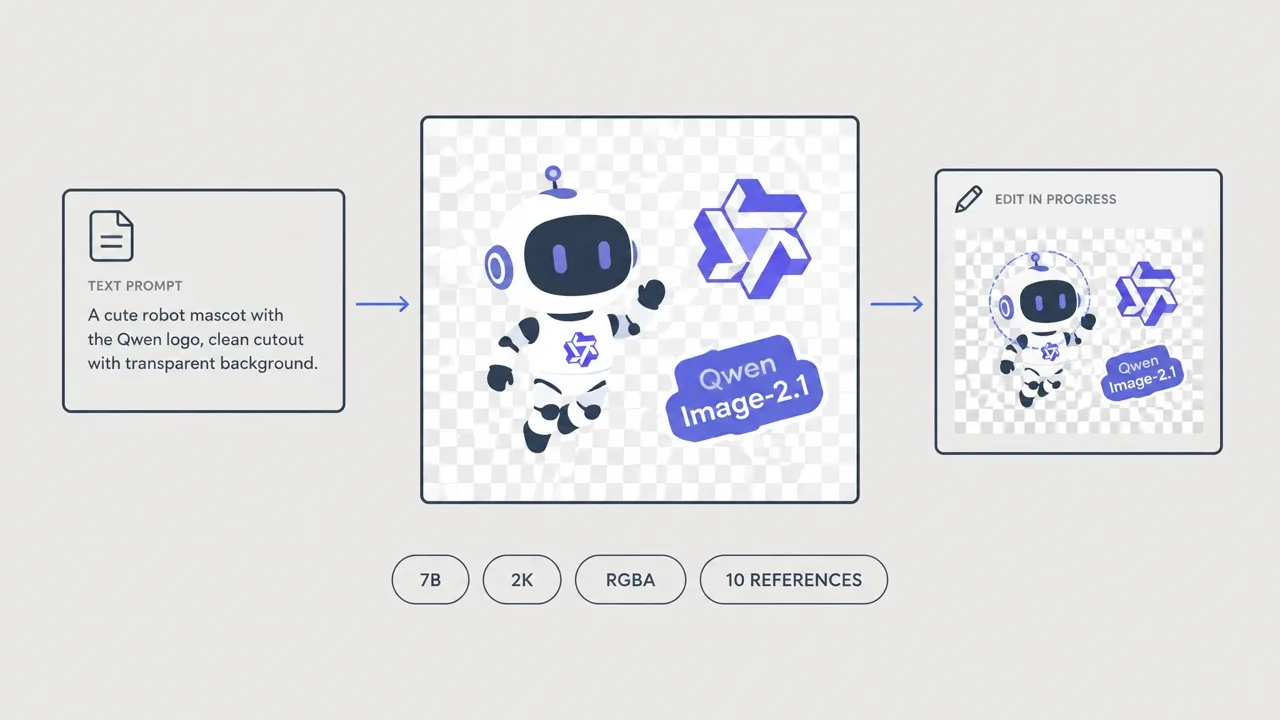
Qwen-Image-2.1 Complete Guide (2026): The First Major Open Model That Generates True Transparent PNGs (RGBA) in ComfyUI

Aug 5, 2026
Cloudflare Wallets Complete Guide 2026: The New Payment System Where AI Agents Pay Automatically, Explained for Beginners

Aug 6, 2026
Cloudflare OS Complete Guide 2026: The Open-Source AI Operating System for Your Company, Explained for Beginners

Aug 11, 2026
Unsloth Desktop Complete Guide 2026: The First Desktop App to Run and Train Models Locally

Jun 19, 2026
【2026】Complete Guide to Connecting an eGPU to Your Mini PC via OCuLink: 10x AI Performance with GMKtec M8