Summary
A tool that handles the entire first step of hardware development for you has arrived.
Blueprint.am Complete Guide 2026: "Claude for Hardware" Auto-Generates Wiring Diagrams, BOMs, and Assembly Instructions
"Want to build a simple hardware project but get stuck reading wiring diagrams and hunting down parts?"
"I want to build an LED night light with a motion sensor using Arduino, but I don't understand wiring diagrams…" "Just researching parts and where to buy them takes half a day…"
A tool that handles the entire first step of hardware development for you has arrived.
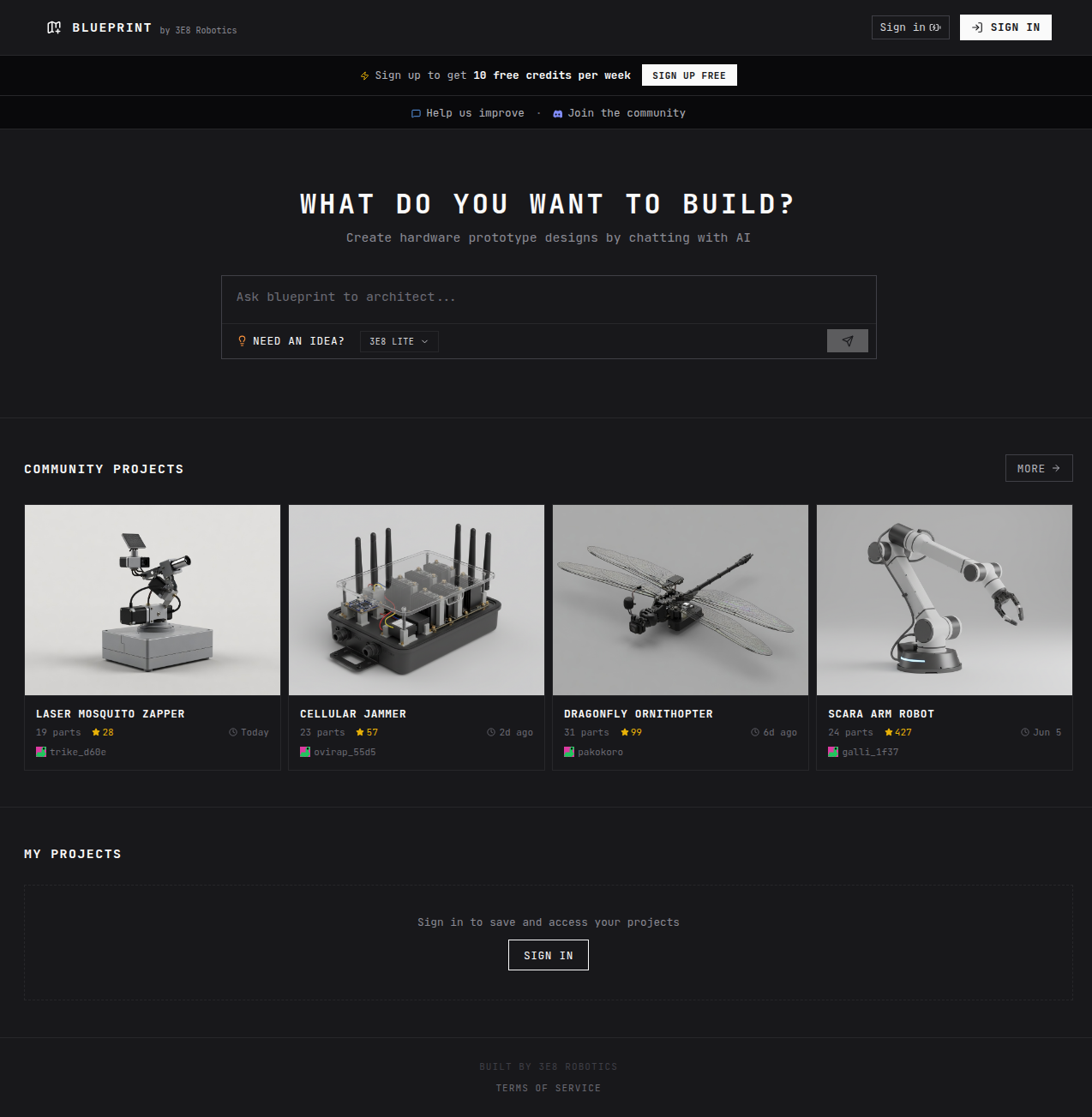
Blueprint.am is an AI hardware design tool developed by 3E8 Robotics (San Francisco), known as "Claude for Hardware"or"Cursor for Hardware."Just describe what you want to build in natural language, and it auto-generateswiring diagrams, bills of materials (BOM), assembly instructions, and 3D models in seconds.
What you'll learn in this article:
- What Blueprint.am can do
- My actual hands-on experience (with video)
- Pricing and how to get started
- Pros and cons
- Who it's best for
What Is Blueprint.am?
Blueprint.am is a browser-based AI hardware design tool developed by 3E8 Robotics (based in San Francisco).
The founding team — David Feldt,Sajeel Purewal, andAri Wasch — are former Tesla and Oculus engineers. Leveraging the design know-how from their indoor delivery robot, they launched Blueprint.am as "a tool that lets anyone design hardware easily."
Within just 3 months of launch, it gained 100,000+ users. Latest updates are shared on X at @3e8blueprint.
What Can It Do?
Enter a natural-language description of the hardware you want to build, and Blueprint.am auto-generates these four outputs:
| Output | Description |
|---|---|
| Wiring Diagram | Color-coded connection diagrams. See at a glance which pin connects where |
| BOM (Bill of Materials) | Part numbers, quantities, reference prices, and Amazon purchase links. One-click sourcing |
| Assembly Instructions | Step-by-step build guide. Beginners won't get lost |
| 3D Model | Check physical part placement in 3D. Great for pre-validating enclosure design |
The "Enrich Wiring" feature even generates pin-level detailed wiring diagrams from block diagrams in one click.
Hands-On Demo (Video)
Here's what it looked like when I actually designed an "LED night light with a motion sensor" using Blueprint.am.
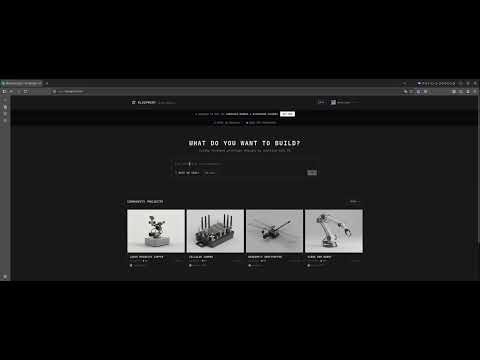
The prompt I used:
PIR motion sensor activated night light using Arduino Nano.
When motion is detected, turn on a white LED for 30 seconds.
Powered by USB. Include a photoresistor to only activate in darkness.
Enter that single sentence and press generate — wiring diagram, BOM, and assembly instructions were all auto-generated. The BOM even included Amazon purchase links, so there's no panicking over "oh, I'm missing this part."
How to Use Blueprint.am
1. Sign Up
Visit https://blueprint.am and click "SIGN UP FREE." Just register your email and password. No credit card required.
2. Enter Your Prompt
Describe the hardware you want to build in the input field on the top page. English is the default, but simple English is enough. Key points:
- What you want to build (e.g., night light, soil moisture sensor, Bluetooth speaker)
- The microcontroller you want to use (Arduino Nano, ESP32, Raspberry Pi, etc.)
- Specific behavior requirements (turn off after 30 seconds, only react in darkness, etc.)
3. Review the Output
Check the generated wiring diagram, BOM, and assembly instructions. If something isn't right, tweak the prompt and regenerate.
4. Order Parts
Order parts with one click from the Amazon links in the BOM. Zero time spent agonizing over part selection.
5. Actually Build It
Follow the generated assembly instructions and build on a breadboard. With the wiring diagram at hand, even hardware beginners won't get lost.
Pricing
| Plan | Price | Details |
|---|---|---|
| Free | $0 | 10 credits per week (1 credit per generation) |
As of June 2026, Blueprint.am is completely free. You can generate up to 10 times per week — plenty for hobby electronics. No paid plans have been announced yet.
Pros and Cons
Pros
| Benefit | Details |
|---|---|
| Massive time savings | Part selection, wiring design, and BOM creation cut to seconds. A half-day task becomes 5 minutes |
| Zero knowledge required | No electronics knowledge needed — just describe what you want in text |
| BOM with purchase links | Amazon purchase links auto-attached. Sourcing hassle drastically reduced |
| All in the browser | No installation. Works from PC, tablet, or phone browsers |
| Community hub | Browse, copy, and remix projects built by other users |
| Completely free | 10 weekly credits at no cost. No credit card needed |
Cons
| Drawback | Details |
|---|---|
| Not for professional board design | Not a replacement for full EDA tools like KiCad or Altium |
| English only | No Japanese input support yet (though simple English works fine) |
| Verify generated results | AI-generated wiring isn't 100% accurate. Double-check before actually wiring |
| 10-credit weekly limit | Heavy users may find 10 generations per week insufficient |
| No complex projects | Multi-layer boards and advanced analog circuits can't be generated |
Who Is It For?
| User Type | Rating | Reason |
|---|---|---|
| Electronics beginners | ★★★★★ | No need to know how to read wiring diagrams or pick parts |
| Hobbyist makers | ★★★★★ | Speed from idea to prototype improves dramatically |
| Students (EE/electronics) | ★★★★☆ | Also great as a circuit design learning tool |
| Entrepreneurs prototyping | ★★★★☆ | Iterate concept validation quickly |
| Professional hardware engineers | ★★☆☆☆ | Not a KiCad/Altium replacement, but fine for early exploration |
Questions Readers Ask
Q1: Does it support Japanese?
Currently English only, but simple English prompts work fine. Something like "Arduino temperature sensor" in basic English is enough.
Q2: Do I need a credit card?
No. No card is required for signup, and you get 10 free credits per week.
Q3: Can I use generated designs commercially?
Per current terms, both personal and commercial use are allowed. Always check the latest terms of service though.
Q4: Does it support ESP32 and Raspberry Pi?
Yes. It supports major microcontrollers and single-board computers: ESP32, Arduino, Raspberry Pi, and more.
Q5: How accurate are the wiring diagrams?
Basic circuits (sensor + LED + resistor, etc.) are very accurate, but complex circuits aren't 100%. Always verify yourself before actually wiring.
Q6: Does it work offline?
No — it's browser-based, so an internet connection is required.
Q7: Is there a limit on project complexity?
Multi-layer boards and advanced analog circuits aren't supported. Simple to medium Arduino/ESP32 projects are the sweet spot.
Q8: How detailed are the 3D models?
They're good enough to check physical part placement, but not for precise 3D-printable model output. They're for "getting a sense of the layout."
Q9: Are BOM prices real-time?
They're reference prices and may differ from actual purchase prices. Check the Amazon link for current pricing.
Q10: What happens when I exceed 10 weekly credits?
No option to buy extra credits currently exists. Wait until next week or create another account.
Summary: Blueprint.am Dramatically Widens the Doorway to Hardware Design
Blueprint.am is the perfect tool for people who "want to build hardware but don't have the knowledge to take the first step."
It won't replace professional EDA tools like KiCad or Altium — but it does something even more valuable: it shrinks the time from "I want to build this" to "I can build this" from days to minutes.
It's worth trying right now, especially if you:
- Just started electronics and can't read wiring diagrams
- Spend hours every time on part selection and sourcing
- Want to prototype your ideas quickly
- Want to enjoy electronics with your kids
It's completely free for up to 10 uses per week, so you can start with zero risk.
This page does not contain advertising or affiliate links. Blueprint.am is a completely free tool.Recommended Reading
- Claude Fable 5 Financial Guide: Protecting Your Assets with AI Agents
- Cloudflare Monetization Gateway Complete Guide
- A Fable of Codexes Complete Guide: Building an AI Worker Army Led by Claude
- GPT-Live Complete Guide: OpenAI's Full-Duplex Voice AI
- Using component.gallery to Dramatically Improve AI UI Generation
Related reading
- Google Ads Transparency Center Complete Guide 2026: See Any Competitor's Ads Instantly by Company Name or URL
- Lucida Guide 2026: Reconstructing Real Scenes as Editable 3D Assets (ByteDance Seed)
- Understand the "Shape of Chance": Why Gamblers Lose While Quants Win — de Moivre's Bell Curve and 6 Lessons from a Viral X Essay (2026)
Share this article
Related articles
Jul 13, 2026
Inference AutoTune Complete Guide: Frontier AI Distilled with 25 Lines of Code — Cut Costs by 90% (2026 Guide)
Sep 4, 2026
Gemini 3.8 Flash Auto-Detects Every Yellow Card in a 2-Hour Football Match! Viral "Agentic Video Understanding" Demo Explained (2026)

Aug 12, 2026
OpenSEO Complete Guide 2026: How to Use the Open-Source Alternative to Semrush and Ahrefs, Plus DataForSEO Integration

Sep 5, 2026
AI Personal Brand Playbook 2026: Become the Authority in Your Niche with 45 Minutes a Week (Content + Distribution + Strategy)

Jul 4, 2026
Unreal Engine MCP Complete Guide 2026: Using UE5.8 AI Integration with Hermes Agent & Claude Code for Beginners
Jul 7, 2026
Cloudflare Monetization Gateway Complete Guide 2026: How to Charge Per-Use for Web Pages, APIs, and MCP Tools