Summary
Agents are powerful as personal tools — but their learning stays personal. Team knowledge gets shared occasionally over Slack or in meetings, and never reaches the agents themselves.
Tencent TeamAI CLI: Share Skills & Knowledge Across Your Team's AI Agents (2026)
"The fix someone's agent worked out yesterday never reaches my agent today." Every team using AI coding agents knows this frustration.
Agents are powerful as personal tools — but their learning stays personal. Team knowledge gets shared occasionally over Slack or in meetings, and never reaches the agents themselves.
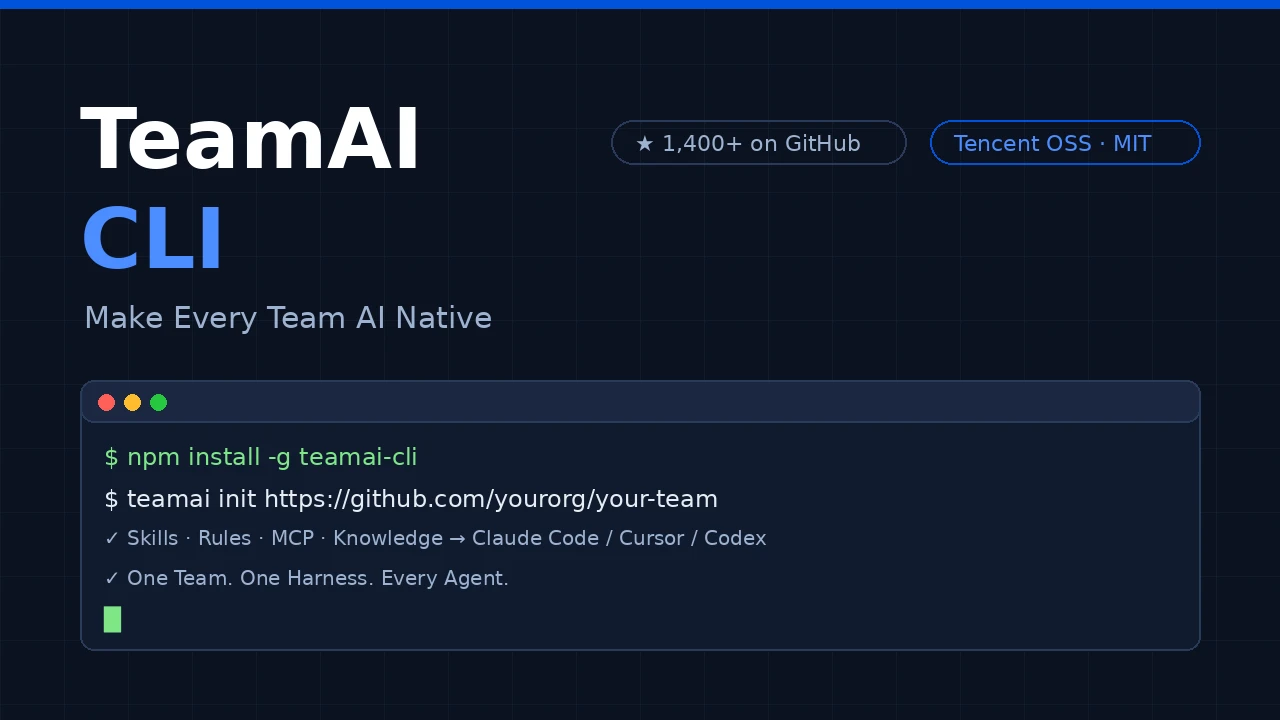
TeamAI CLI (teamai-cli) solves this with a single shared Git repository. It's an open-source project from Tencent (MIT · TypeScript) that centrally manages your team's skills, rules, docs, and MCP config — and distributes them automatically to Claude Code, Codex, Cursor, CodeBuddy, and other major AI agents. It has passed 1,400 GitHub stars (September 2026) with roughly 4,000 npm downloads per month and climbing.
Image credit: created by cldnavi.com (illustration of TeamAI CLI usage).
What Is TeamAI CLI?
Its tagline is "Make Every Team AI Native". TeamAI CLI is a team collaboration layer for AI agents: knowledge accumulated by individuals becomes shared, reusable capability at team scale.
| Item | Detail |
|---|---|
| Developer | Tencent (open-sourced April 2026) |
| License | MIT (commercial use OK, fully free) |
| Language | TypeScript (Node.js ≥ 18) |
| Supported agents | Claude Code / Codex / Cursor / Qoder / CodeBuddy / OpenCode and more |
| Git providers | GitHub / GitLab / GitCode / CNB / TGit / private Git |
| Install | npm install -g teamai-cli |
The design philosophy is one loop: Execute → Understand → Learn → Self-Improve, built from three layers:
- Team Execution — distribute skills, rules, docs, env, MCP, and hooks from a shared repo to every member's agents (
init/pull/push) - Team Context — turn team experience into a searchable knowledge base that agents recall automatically before tasks (
recall/import/ codebase graph) - Team Improvement — detect session friction, convert it into shared experience, and make the whole team smarter (
share-learnings/session/digest/dashboard)
You can start with distribution (Execution) alone and layer in Context and Improvement as your team's usage matures — a practical, incremental rollout.
Installation
npm install -g teamai-cli

# Verify
teamai --version
Prerequisites are just Node.js ≥ 18 and Git. TGit users also need the gf CLI and CNB users the cnb CLI, but teamai init installs either automatically.
Usage ①: Admin Initialization
Prepare a team repository
Create an empty shared repository on GitHub (suggested name: TeamAi-<team>) and grant write access to members. If starting from zero feels heavy, clone the teamai-hub template org — it ships with production-ready skills, rules, and review agents — via "Use this template".
Run init (two scopes)
# Project scope (default): installs under the project
cd /path/to/my-project
teamai init https://github.com/yourorg/yourrepo

# User scope: installs under your home directory
teamai init https://github.com/yourorg/yourrepo --scope user
| Scope | Install location | Best for |
|---|---|---|
| project (default) | Project-specific skills and rules | |
| user | ~/.claude/ etc. | Cross-project team conventions |
| --http | No git, API-based (read-only) | Consumers and CI agents that never push |
init does four things — OAuth login, repo linking, member registration, and hook injection. The hooks are the key: every AI session start runs teamai pull automatically, so admin-published skills and rules reach everyone without manual sync.
Don't be surprised if .claude/ doesn't exist right after init: init writes only .teamai/ (config). When you open Claude Code in the project, the SessionStart hook creates that tool's project root and pulls into it — it never invents directories for tools you haven't opened. For CI, fully non-interactive init is supported: teamai init <repo> --scope project --role hai_dev --force.
Usage ②: Member Onboarding
npm install -g teamai-cli
cd /path/to/my-project
teamai init https://github.com/yourorg/yourrepo
# Done. AI tools now fetch team resources automatically
That's the whole onboarding. After that, sync is automatic.
teamai status        # local vs team repo diff
teamai members       # team roster
teamai list          # all resource types (skills|rules|docs|env|agents|hooks|mcp)
teamai list --source local   # skills actually installed under each agent
teamai doctor        # diagnose configuration issues
Usage ③: Sharing Skills and Rules
Create a skill and push
mkdir -p ~/.claude/skills/my-deploy-helper
cat > ~/.claude/skills/my-deploy-helper/SKILL.md << 'EOF'
# Deploy Helper
When the user requests a deployment, follow these steps:
1. Check that the current branch is master
2. Run tests `npm test`
3. Build `npm run build`
4. Deploy `./deploy.sh`
EOF

# Push to the team (YAML frontmatter is auto-completed)
teamai push
push automatically creates a branch and opens a Merge Request. Once a reviewer merges, every member receives it at their next session start. Re-pushing while the MR is unmerged updates the existing MR in place instead of opening duplicates. Missing name/description frontmatter is auto-completed from the directory name and content, and you can attach tags.
Rules (team conventions) are just Markdown
cat > ~/.claude/rules/code-review-guide.md << 'EOF'
# Code Review Guidelines
- All functions must have JSDoc comments
- `any` type is not allowed
- Test coverage must be at least 80%
EOF

teamai push
Admins can declare enforced rules in teamai.yaml (sharing.rules.enforced) — rules members cannot delete.
Env, MCP, and hooks: declare once, deliver to everyone
teamai env add API_ENDPOINT https://api.example.com --description "Team API endpoint"
teamai push
Declare MCP servers once in mcp/mcp.yaml; on pull, TeamAI writes each tool's native config. Secrets stay out of the repo via ${VAR} references:
servers:
  - name: gpu-analysis
    transport: http            # stdio | http | sse
    url: https://example.com/api/mcp
    headers:
      Authorization: Bearer ${GPU_ANALYSIS_TOKEN}
Team hooks (e.g. a pre-commit secret scan) are declared in hooks/hooks.yaml and delivered to every tool — managed with teamai hooks list | inject | remove.

Usage ④: The Knowledge Loop (Team Context / Improvement)
This is the most interesting part of TeamAI CLI.
Friction detection → automatic experience sharing
When a session ends, the Stop hook scores it by friction: how often you interrupted or corrected the agent, denied tool calls, or the agent retried failing tools. A long-but-routine session doesn't trigger; a session where you actually fought a problem does. Above the threshold:
[teamai] This session may contain a problem worth documenting:
you interrupted the AI twice, the AI retried failing tools 8 times.

Consider running /teamai-share-learnings to summarize what you learned
and share it with your team.
Running /teamai-share-learnings summarizes the session and pushes it to the team repo as a learning document (at most once per session).
Knowledge recall (BM25 + graph boost)
teamai recall enable      # deploys the teamai-recall subagent
teamai recall "port conflict"
# [1/2] MR review caught a port-conflict bug ★1 [user]
# Author: member-a | Score: 18.5 | Tags: troubleshooting, networking
Once enabled, agents automatically search team knowledge before a task. The subagent runs a relevance precheck and skips retrieval when the task is unrelated. It's off by default; set sharing.recall.enabled: true in teamai.yaml to make it the team default.
Codebase knowledge graph
teamai import --from-repo https://github.com/org/repo   # structure one repo
teamai import --from-org myorg                          # batch import
teamai codebase --lint                                  # health check
A tree-sitter WASM parser (pure JS — no native toolchain) resolves imports and implementations for TypeScript/JavaScript, Python, and Go, building a graph of DEPENDS_ON / REFERENCES / IMPLEMENTS edges under teamwiki/. Recall hits include source file paths, so agents start from the right file instead of re-exploring the repo. Other languages (Java/Rust) fall back to heuristic extraction.
Team operations visibility
teamai digest— weekly digest (token usage, conversation volume, intervention rate)teamai session save— privacy-scrubbed session summariesteamai dashboard— live member status, interventions, and KB health
Roles, Tags, and Source Subscriptions
teamai roles— role → namespace mapping; each member syncs only their role's skillsteamai tags— tag skills/rules; members subscribe to just the tags they needteamai source add <repo>— subscribe to other teams' public repos or your org's shared repos, synced automatically onpull
teamai source add https://github.com/other-team/teamai-public.git --name other-team
teamai source browse other-team
Cross-team skill reuse is a clear differentiator against similar tools.
Questions Readers Ask
Q: Is it free? A: Fully free, MIT-licensed open source. All you need is a Git host account (GitHub, etc.).
Q: How complete is support beyond Claude Code? A: Claude Code, Codex, Cursor, Qoder, and CodeBuddy are fully supported (all 13 capabilities). OpenCode, WorkBuddy, Hermes, and others support the core distribution features. Check the compatibility table in the README.
Q: Hooks aren't firing automatically
A: Run teamai doctor to diagnose, then teamai hooks inject to re-inject. Tools without hook support (e.g. Gemini CLI) need manual pull.
Q: push says "no new resources detected" A: push only detects new or modified resources. Nothing changed → nothing to push.
Q: How do I delete an already-pushed resource?
A: teamai remove skills <name> — it opens an MR for the removal.
Q: Is it secure?
A: Secrets use ${VAR} references so they never land in the repo; env values are masked by default; team hooks can scan for secrets at PreToolUse. But repo access control remains each team's responsibility.
Summary
- TeamAI CLI is Tencent's OSS (MIT, free) that aggregates team skills, rules, MCP, and knowledge in one Git repo and distributes them to major AI agents automatically
- Setup is
npm install -g teamai-cli→teamai init <repo>. Members get the latest resources automatically at session start — no manual syncing - The push → MR review → merge flow means every change goes through review, with enforced rules, role-based distribution, and cross-team subscriptions built in
- The friction → share-learnings → recall loop turns individual agent experience into compounding team assets
Repository: Tencent/teamai-cli on GitHub
Based on the Tencent/teamai-cli GitHub repository (as of September 2026). Diagrams and images created by cldnavi.com.
Related reading
- Perplexity Numbat Complete Guide 2026: The Open-Source Security Layer That Visualizes & Blocks AI Agent Actions
- Hermes Agent Complete Guide 2026: The Most Powerful Open-Source AI Agent by Nous Research
- Hermes Agent vs Cursor — Full Comparison 2026: Which Should You Choose? Complete Guide to Using Both
Share this article
Related articles
Aug 27, 2026
Archify Guide 2026: The AI Agent Skill That Draws Verified Architecture Diagrams (Mermaid Alternative)
Sep 4, 2026
Herdr v0.9: Manage AI Agents Across Multiple Machines from One Terminal (2026)
Sep 29, 2026
T3 Code (2026): A Free App That Drives AI Coding Agents From Your Phone
Jul 19, 2026
12 Free AI Agent Courses Recommended for 2026: Learn from the World's Top Instructors
Aug 24, 2026
OpenConnector Guide 2026: The Open-Source Auth Gateway Connecting 1,000+ SaaS Providers to AI Agents
Sep 28, 2026
Orca (2026): A Development Environment for Running Multiple AI Coding Agents in Parallel