Summary
The short version: Qwen3.8-Flash-Next is Alibaba Qwen's next-generation multimodal MoE model built on the experimental architecture that will underpin Qwen4. It has 125B total parameters (including 51B N-gram embedding) but activates only 6B per inference — "ultimate cost efficiency." The unsloth GGUF release offers 7 quantizations (IQ1–Q4) with very different storage and memory requirements. The smallest (UD-IQ1_S) needs ~72.5GB, the highest quality (UD-Q4_K_XL) needs ~111.4GB of storage, plus 96GB–192GB of system RAM. This guide explains the exact hardware you need to run it locally.
Qwen3.8-Flash-Next GGUF Guide 2026: Run It Locally with unsloth — Quantization, RAM & PC Requirements
"125B total parameters but only 6B activated... Qwen's new architecture is impressive."
The short version: Qwen3.8-Flash-Next is Alibaba Qwen's next-generation multimodal MoE model built on the experimental architecture that will underpin Qwen4. It has 125B total parameters (including 51B N-gram embedding) but activates only 6B per inference — "ultimate cost efficiency." The unsloth GGUF release offers 7 quantizations (IQ1–Q4) with very different storage and memory requirements. The smallest (UD-IQ1_S) needs ~72.5GB, the highest quality (UD-Q4_K_XL) needs ~111.4GB of storage, plus 96GB–192GB of system RAM. This guide explains the exact hardware you need to run it locally.
What Qwen3.8-Flash-Next Is
Qwen3.8-Flash-Next is an experimental preview of the next-generation architecture from Alibaba Qwen (Aug 2026) — the foundation for Qwen4.
Key specs:
- Total params: 125B (including 51B N-gram embedding)
- Activated params: 6B (MoE — Mixture of Experts)
- Multimodal (text, image, video)
- Native 256K context (extendable to 1M via YaRN)
- Thinking mode by default
- Frontier scores: HLE 35.9, GPQA Diamond 91.7, LiveCodeBench 91.9
"125B total but only 6B active per inference" = API cost is 6B-class, but performance is frontier-class.
Benchmarks: beating Claude-Opus-4.6 (Max)
As UnslothAI reported on X, Qwen3.8-Flash-Next beats Claude-Opus-4.6 (Max) on agentic and coding benchmarks (official Qwen results).
| Benchmark | Flash-Next | Claude-4.6 (Max) |
|---|---|---|
| SWE-bench Pro | 62.5 ★ | 53.4 |
| SWE-bench Multilingual | 81.0 ★ | 77.5 |
| LiveCodeBench v6 | 91.9 ★ | 88.8 |
| CoWorkBench (long-horizon office) | 73.9 ★ | 68.2 |
| JobBench (professional tasks) | 55.7 ★ | 36.6 |
| IFBench (instruction following) | 81.3 ★ | 62.5 |
| GPQA Diamond (scientific reasoning) | 91.7 ★ | 91.3 |
| MathVision (visual math) | 95.7 ★ | 65.5 |
| AndroidWorld (mobile use) | 84.5 ★ | 62.0 |
| LVBench (long video) | 76.6 ★ | 63.0 |
Notably: SWE-bench Pro 62.5 (real-world software engineering) and MathVision 95.7 (visual math) beat Claude-Opus-4.6 by 10–30 points.
unsloth GGUF Quantizations
| Quantization | Total size | Quality | Files |
|---|---|---|---|
| UD-IQ1_S | ~72.5GB | Minimal (ultra-low) | 3 parts |
| UD-IQ1_M | ~74.5GB | Minimal (mid) | 3 parts |
| UD-Q2_K_XL | ~78.9GB | Low (2bit XL) | 3 parts |
| UD-IQ3_XXS | ~82GB | Mid (3bit ultra-small) | 3 parts |
| UD-Q3_K_XL | ~90GB | Mid (3bit XL) | 3 parts |
| UD-IQ4_XS | ~93.6GB | High (4bit ultra-small) | 3 parts |
| UD-Q4_K_XL | ~111.4GB | Highest (4bit XL) | 4 parts |
| mmproj (optional) | 0.9GB | For vision input | single |
Note: Files are split (-00001-of-00003 etc.) — download ALL parts. mmproj is only needed for image/video input.
Memory Requirements per Quantization
GGUF size ≈ memory footprint when loaded. You need file size + headroom (context + compute buffers) in RAM/VRAM.
| Quantization | RAM needed | Recommended VRAM | Setup |
|---|---|---|---|
| UD-IQ1_S (72GB) | 96GB+ | 16GB (partial offload) | CPU+GPU hybrid |
| UD-IQ1_M (75GB) | 96GB+ | 16GB (partial offload) | CPU+GPU hybrid |
| UD-Q2_K_XL (79GB) | 128GB+ | 24GB | CPU+GPU hybrid |
| UD-IQ3_XXS (82GB) | 128GB+ | 24GB | CPU+GPU hybrid |
| UD-Q3_K_XL (90GB) | 128GB+ | 24GB–32GB | CPU+GPU hybrid |
| UD-IQ4_XS (94GB) | 128GB+ | 32GB | CPU+GPU hybrid |
| UD-Q4_K_XL (111GB) | 192GB+ | 48GB+ | CPU+GPU hybrid |
Important: This model can NOT fit entirely in VRAM. Even an RTX 5090 (32GB) can't hold the 111GB Q4_K_XL. CPU+GPU hybrid offloading is required.
Recommended PC Builds (by Budget)
Build A: Minimum (UD-IQ1_S/M) — ~$1,700
- CPU: AMD Ryzen 9 7950X or Intel Core i9-14900K
- RAM: 96GB DDR5 (2×48GB — bandwidth matters)
- GPU: RTX 4060 Ti 16GB (partial offload)
- Storage: NVMe SSD 2TB
Build B: Balanced (UD-Q2~IQ3) — ~$3,000
- CPU: AMD Ryzen 9 7950X or Intel Core i9-14900K
- RAM: 128GB DDR5 (2×64GB)
- GPU: RTX 4090 24GB
- Storage: NVMe SSD 2TB
Build C: Highest Quality (UD-Q4_K_XL) — ~$6,000
- CPU: AMD Threadripper 7960X or Ryzen 9 9950X
- RAM: 192GB DDR5 (2×96GB)
- GPU: RTX 5090 32GB
- Storage: NVMe SSD 2TB×2
Selection tips:
- RAM capacity: GGUF size + 16GB+ headroom. Q4_K_XL wants 192GB
- RAM bandwidth: DDR5-6000+, dual-channel (2 sticks) is mandatory — inference is bandwidth-bound
- GPU: More VRAM = less CPU burden. RTX 4090/5090 are optimal
- Storage: NVMe SSD (Gen4+) required for 111GB download + load
If you mainly want to use Qwen3.8-Flash-Next rather than own it, the cloud route is far cheaper than a 192GB workstation — Alibaba Cloud is Qwen's home platform.
Alibaba CloudVerified
Qwen's home platform. Rent a GPU instance by the hour instead of buying 96-192GB of RAM.
Setup (llama.cpp)
1. Install llama.cpp
git clone https://github.com/ggml-org/llama.cpp
cd llama.cpp
cmake -B build -DGGML_CUDA=ON
cmake --build build --config Release -j

# or via pip
pip install llama-cpp-python
2. Download GGUF
# Example: UD-IQ3_XXS (82GB)
huggingface-cli download unsloth/Qwen3.8-Flash-Next-GGUF \
  --include "UD-IQ3_XXS/*" --local-dir ./qwen3.8-flash
3. Run inference
./build/bin/llama-cli \
  -m ./qwen3.8-flash/UD-IQ3_XXS/*.gguf \
  -ngl 99 \
  --mmproj ./qwen3.8-flash/mmproj-F16.gguf \
  -c 8192 \
  -p "Write a Python function to merge two sorted linked lists"
-ngl 99: offload as many layers to GPU as possible--mmproj: vision support (image/video)-c 8192: context length (raise if you have headroom)
Run easily with Unsloth Desktop (GUI)
If you'd rather avoid the CLI, Unsloth Desktop (free GUI app) lets you pick the model, download it, and run with clicks.
- Think toggle: switch thinking mode ON/OFF
- Preserved Thinking: keep the thinking trace from previous turns (better accuracy in ongoing conversations)
- reasoning_effort: xhigh / medium / low
- Preset sampling: Thinking Mode (temperature 1.0, top_p 0.95) and Instruct Mode (temperature 0.7, top_p 0.80)
To set reasoning effort on the CLI:
llama-cli -m Qwen3.8-Flash-Next-UD-IQ3_XXS.gguf \
  --chat-template-kwargs '{"reasoning_effort":"medium"}'
CPU RAM vs GPU VRAM: little difference
Per Unsloth, running on CPU system RAM vs GPU VRAM makes relatively little difference with this architecture. N-gram/PLE layers can be offloaded to SSD (mmap), so 96GB Macs, DGX Spark (128GB), and high-memory PCs run it comfortably.
Caveats
- Very large model: 125B total — NOT a casual download. 72–111GB storage + 96–192GB RAM
- Speed is CPU-bound: anything not in VRAM runs on CPU, so fast memory bandwidth matters
- Quality vs size tradeoff: IQ1 is heavily compressed. For practical use, IQ3_XXS or higher is recommended
- Try the cloud API first (Qwen Cloud, SGLang, vLLM) — it's the realistic starting point
- Vision input requires mmproj (0.9GB)
Summary
- Qwen3.8-Flash-Next: 125B total / 6B active — next-gen MoE architecture (Qwen4 foundation)
- unsloth GGUF: 7 quantizations (IQ1–Q4)
- Memory: 72GB–192GB depending on quantization
- Local run requires CPU+GPU hybrid — can't fit in VRAM alone
- Recommended: 96GB RAM + RTX 4060 Ti 16GB (min) to 192GB RAM + RTX 5090 (max quality)
- Memory bandwidth (fast DDR5, dual-channel) is the bottleneck
If you would rather run the model through an API than on your own machine, Nous Portal gives you many models behind a single account.
Sources
- Hugging Face: https://huggingface.co/unsloth/Qwen3.8-Flash-Next-GGUF
- Qwen blog: https://qwen.ai/blog?id=qwen3.8-flash-next
- Technical report: https://github.com/QwenLM/Qwen3.8-Flash-Next/blob/main/tech_report.pdf
- unsloth: https://unsloth.ai/
Related reading
- Ornith-1.5-35B-A3B Guide 2026: Run the Qwen3.6-Beating MoE Coding Model Locally (Quantization & Hardware)
- Qwen3.8-27B GGUF Complete Guide 2026: How to Run Unsloth's Version on Your Home PC (File List, How to Choose, Setup Steps)
- Run Unsloth GGUF Models Locally in Hermes with One Click! Qwen3.8-27B, Qwen3.8-Flash & DeepSeek-V4-Flash Supported (2026)
- halogen-flash-server Guide 2026: The Fastest Way to Run Qwen3.8-Flash-Next on Strix Halo
Share this article
Related articles
Aug 20, 2026
Qwen3.8-27B Uncensored 12GB GGUF Explained 2026: Ridge-Style Mixed Quantization Hits 37 tok/s on Local Hardware
Aug 18, 2026
DeepSeek V4 Flash Abliterated GGUF Review 2026: Run the Uncensored Model Locally & What to Know
Sep 19, 2026
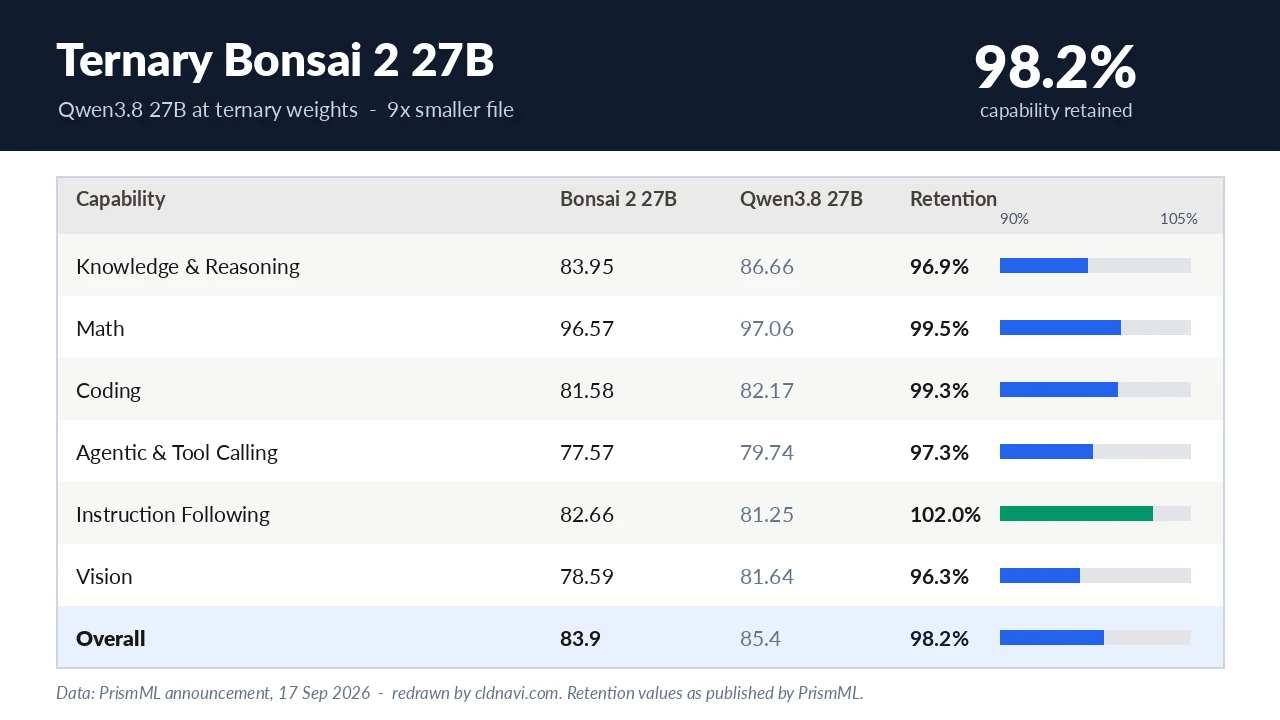
Ternary Bonsai 2 27B Local Guide 2026: Specs, Quantization and Hardware That Fits

Aug 17, 2026
Qwen3.8-CRACK Fully Explained 2026: Uncensored Vision+Video Model That Runs on Low-VRAM GPUs
Jul 10, 2026
Unsloth Qwen3.6 NVFP4 Complete Guide 2026: Run Frontier-Class AI 2.5x Faster on Your Home PC

Aug 10, 2026
Unsloth Muse Glimmer 30B Guide 2026: Run & Fine-Tune Meta's Agent Model on 18GB RAM