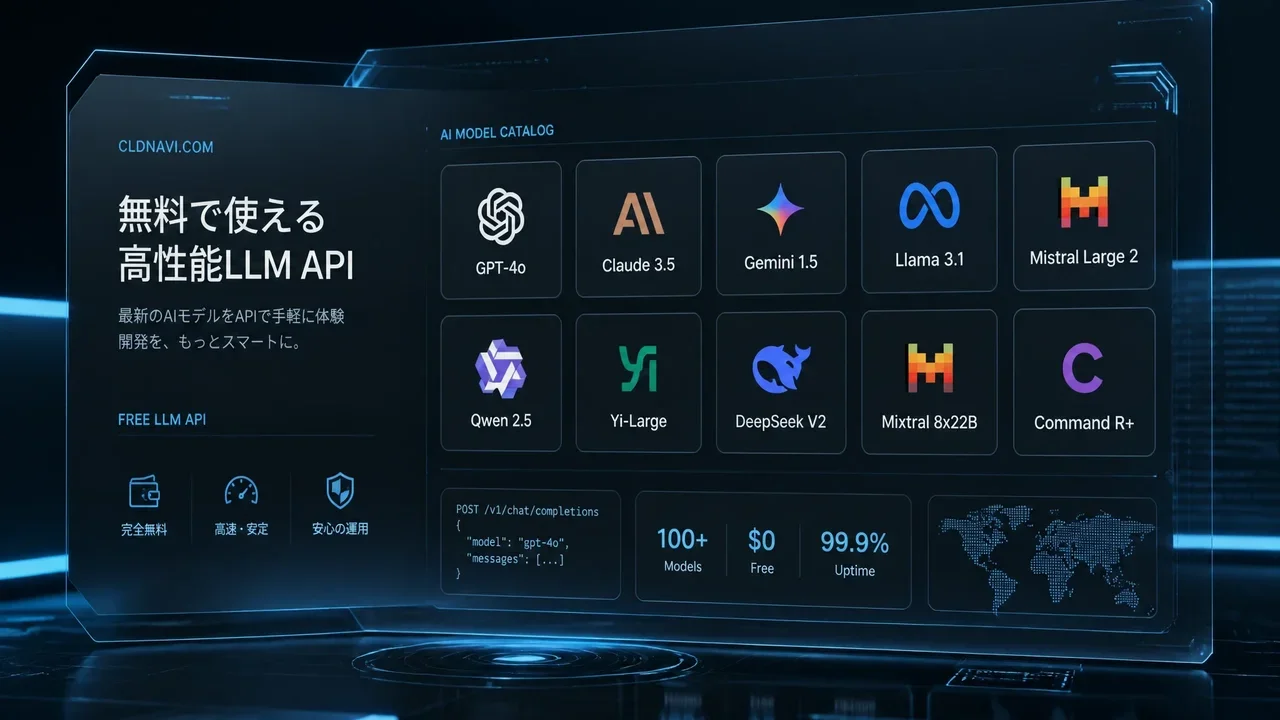
Summary
Here's some great news.
FreeLLM.net Complete Guide 2026: How to Use 220+ Free LLM APIs at Zero Cost
"Want to call LLM APIs in your projects for free instead of paying per token?"
"I want to use AI models for development, but API costs scare me." "My Cursor + Claude Code subscriptions plus API costs are over $1,000/month..." "I just want to try out different models for free."
Here's some great news.
In 2026, over 220 LLM models are available via API — completely free.
Many providers don't even require a credit card to get started. Using freellm.net and awesome-freellm-apis covered in this article, you can access the latest models like DeepSeek V4 Pro / MiniMax M3 / Kimi K2.6 / GLM 5.1 — all for $0.
What you'll learn in this article:
- What freellm.net is and why it's a game-changer
- Which providers are genuinely free to use
- How to get a free API key in 3 steps
- How to set it up for Cursor / Codex / Claude Code / Hermes Agent
- Realistic assessment of rate limits and practicality
- Important caveats and recommended usage combinations
The Bottom Line: FreeLLM Eliminates AI API Costs Entirely
| Item | Details |
|---|---|
| Service Name | freellm.net + awesome-freellm-apis (GitHub) |
| Models Covered | 224+ models (127 always-online & free) |
| Providers | 25–28 companies |
| Top Models | MiniMax M3 (Score 95) / Kimi K2.6 (Score 91) / DeepSeek V4 Pro (Score 86) |
| No Credit Card | Groq, Cloudflare, GitHub Models, Mistral, Cohere, and more |
| Update Frequency | Daily auto-updates (53 models with live API verification) |
| Supported Tools | Cursor / Codex / Claude Code / Hermes / OpenCode / OpenClaw, and more |
What Is FreeLLM.net? — The "Master Catalog" of Free LLM APIs
freellm.netis a website that lets you browse, compare, and configurefree LLM APIs available as of 2026.
The companion GitHub repository awesome-freellm-apis (open-free-llm-api/awesome-freellm-apis) provides the same data in machine-readable format, updated automatically every day.
Why Do You Need This?
Traditionally, finding free LLM APIs came with these problems:
- You had to visit dozens of individual provider websites
- Services labeled "free" still required credit card registration and eventually charged you
- Rate limits and context sizes varied wildly, making comparisons difficult
- Outdated information meant broken APIs were mixed in
freellm.net solves all of these in one place.
What You Can Do with freellm.net
| Feature | Description |
|---|---|
| Model Search | Filter 224+ models by provider, performance, and use case |
| Side-by-Side Compare | Compare context sizes, rate limits, and pricing conditions at a glance |
| One-Click Config Generator | Auto-generates setup code for Cursor / Codex / Claude Code / Hermes |
| API Key Management | Log in to store keys in an encrypted vault |
| Daily Updates | Auto data sync via GitHub Actions + 53 models with live API verification |
Free Provider Directory (28 Companies)
Below is a curated list of providers that are genuinely free to use. Those that advertise "free" but still require a credit card are noted separately.
No Credit Card Required
| Provider | Free Models | Max Context | Rate Limit | Get API Key |
|---|---|---|---|---|
| Groq | 14 | 262K | 30 RPM | console.groq.com/keys |
| Cloudflare Workers AI | 13 | 10M | Check site | Cloudflare Dash |
| GitHub Models | 13 | 1M | Check site | GitHub Marketplace |
| Mistral AI | 9 | 256K | Check site | console.mistral.ai |
| Cohere | 6 | 256K | Check site | dashboard.cohere.com |
| Cerebras | 6 | 131K | Check site | cloud.cerebras.ai |
| Google Gemini | 5 | 2M | 15 RPM / 1,500 RPD | aistudio.google.com |
| Hugging Face | 5 | 131K | Check site | huggingface.co/settings/tokens |
| LLM7.io | 6 | 131K | Check site | token.llm7.io |
| Z AI (Zhipu AI) | 3 | 200K | Check site | open.bigmodel.cn |
| Kilo Code | 5 | 262K | ~200 req/hr | kilo.ai |
Phone Verification or Account Registration Required (Effectively Free)
| Provider | Free Models | Max Context | Requirement |
|---|---|---|---|
| NVIDIA NIM | 75 | 1M | Phone verification only (no credit card) |
| OVHcloud | 12 | 262K | Account registration |
| Alibaba Cloud | 5 | 1M | Account registration |
| SambaNova | 4 | 128K | Account registration |
| xAI | 3 | 2M | Account registration |
| DeepSeek | 2 | 128K | Account registration (free credits included) |
Spotlight: OpenRouter (Renewable Credits)
OpenRouter is a bit unique — with the free tier + a one-time $10 charge, you get up to 1,000 free requests per day. Since it has an Anthropic-compatible API endpoint, this isthe go-to choice if you want to run Claude Code for free.
You get 28 free models and support for up to 1M context.
Free Model Rankings — Top 10
The top 10 free models currently available, scored by freellm.net:
| Rank | Model | Provider | Score | Context | Highlights |
|---|---|---|---|---|---|
| 1 | MiniMax M3 | NVIDIA NIM | 95 | 1.0M | Image + Text · 40 RPM |
| 2 | Kimi K2.6 | NVIDIA NIM | 91 | 262K | Image + Text · 40 RPM |
| 3 | Gemini 3.5 Flash | Google Gemini | 89 | 1.0M | Text · 15 RPM |
| 4 | GLM 5.1 | NVIDIA NIM | 88 | 203K | Text · 40 RPM |
| 5 | Nemotron 3 Ultra | OpenRouter | 88 | 1.0M | 200 req/day |
| 6 | Step-3.7 Flash | NVIDIA NIM | 87 | 256K | Image + Text · 40 RPM |
| 7 | DeepSeek V4 Pro | NVIDIA NIM | 86 | 1.0M | Text · 40 RPM |
| 8 | MiniMax M2.5 | Kilo Code | 85 | 196K | 200 req/hr |
| 9 | Qwen3.6-27B | OVHcloud | 84 | 131K | Text · 2 RPM |
| 10 | Cohere North Mini Code | OpenRouter | 83 | 256K | Code-focused · 200 req/day |
My personal standout is MiniMax M3 (Score 95). With 1M context, image support, and 40 RPM, the specs are hard to believe for a free tier. DeepSeek V4 Pro is also impressive at 1M context and score 86.
Get Started with Free LLM APIs in 3 Steps
Step 1: Pick a Provider
For beginners, Groq is the strongest recommendation.
- Sign up with just an email address (no credit card)
- llama-3.3-70b-versatile at 30 RPM for free
- 14 models ready to use immediately
- Time required: 2 minutes
Sign up here → console.groq.com/keys
Step 2: Get Your API Key
After creating an account on each provider's site, generate an API key. For most providers, the process is:
- Register an account (email or Google account)
- Navigate to the API Keys / Tokens page
- Click "Create API Key"
- Copy and save the generated key
Never share your API key publicly. Accidentally committing it to GitHub can lead to unauthorized usage and unexpected charges.
Step 3: Configure Your Tools
Use the API key you obtained to set up your AI coding tools.
Setup Guides by AI Tool
Using with Cursor
Setting up a free LLM API in Cursor is extremely straightforward.
Steps:
- Open Cursor Settings (⚙️)
- Click Models → Add Model
- Enter the following information
Model name: llama-3.3-70b-versatile
Override OpenAI Base URL: https://api.groq.com/openai/v1
OpenAI API Key: <your Groq API key>
- Click "Verify" to confirm the connection
- Enable the model
For providers other than Groq, the same steps work as long as they have an OpenAI-compatible endpoint.
Using with Codex CLI
# When using Groq
export OPENAI_BASE_URL="https://api.groq.com/openai/v1"
export OPENAI_API_KEY="<your Groq API key>"

# Or NVIDIA NIM
export OPENAI_BASE_URL="https://integrate.api.nvidia.com/v1"
export OPENAI_API_KEY="<your NVIDIA API key>"

# Launch Codex
codex --model "llama-3.3-70b-versatile"
Using with Claude Code
Claude Code requires an Anthropic-compatible API. OpenRouter is the only realistic option here.
# Using Claude Code via OpenRouter
export OPENROUTER_API_KEY="<your OpenRouter API key>"
export ANTHROPIC_BASE_URL="https://openrouter.ai/api"
export ANTHROPIC_AUTH_TOKEN="$OPENROUTER_API_KEY"
export ANTHROPIC_API_KEY=""  # Explicitly empty — important

# Launch
claude
Note: Using Anthropic models on OpenRouter requires a one-time $10 charge. After that, you can use up to 1,000 free requests per day.
Using with Hermes Agent
With recent updates, Hermes Agent also supports custom API endpoints. Add the following to ~/.hermes/config.yaml:
# Example using Groq
provider: openrouter  # Specify an OpenAI-compatible provider
model: groq/llama-3.3-70b-versatile
api_key: <your Groq API key>
base_url: https://api.groq.com/openai/v1
Alternatively, use freellm.net's Config Generator to auto-generate setup code for each tool. → freellm.net/config/
Recommended Providers by Use Case
| Use Case | Recommended Provider | Why |
|---|---|---|
| 💻 AI Coding (Cursor / Codex) | Groq | No credit card · Fast inference · Best LLaMA |
| 🤖 Want to run Claude Code | OpenRouter | Only Anthropic-compatible API · $10 one-time only |
| 🔬 Try every latest model | NVIDIA NIM | 75 models · Phone verification only · 1M context |
| 📷 Need image recognition too | NVIDIA NIM | MiniMax M3 · Kimi K2.6 with image support + high scores |
| 🎯 Want blazing-fast responses | Groq | Fastest-tier LPU inference |
| 🔐 Totally free · No credit card ever | Groq or Cloudflare Workers AI | No credit card · Just sign up |
| 📱 Mobile app development | Google Gemini | 2M context · 5 models · Stable API |
| 🧪 Experimentation & learning | freellm.net in general | Casually try all kinds of models |
Caveats & Downsides
When using free APIs, you need to understand the following:
1. Rate Limits Are Strict
Free tiers naturally come with rate limits. For example, Groq gives you 30 RPM (30 requests per minute). Not suitable for bulk code generation or batch processing.
2. No Availability Guarantee (SLA)
Free APIs are best-effort operations. They may suddenly go down or become slow. Absolutely not suitable for production environments.
3. Model Availability Changes Frequently
Daily data updates mean things are constantly shifting. A model that was free this week might go paid next week.
4. Don't Send Confidential Data
Many free providers may use transmitted data for model training. Never send company confidential or personal information to free APIs.
5. Chinese Providers Deserve Extra Caution
Chinese providers like Z AI (Zhipu AI) or Alibaba Cloud may handle data differently from Japanese or international regulations. Check the terms of service before use.
Advanced: Bundling Multiple Free APIs Together
To work around free API rate limits, bundling multiple providers is highly effective.
For example, combining these services enables practical development:
- Groq (LLaMA 3.3 70B / 30 RPM) — Primary code generation
- NVIDIA NIM (75 models / 40 RPM) — Backup & image recognition
- Google Gemini (5 models / 15 RPM) — Long-form processing & research
- Cloudflare Workers AI (13 models / unlimited) — Batch processing
Plus, freellm.net's Config Generator auto-generates optimal setup code for each tool, so switching between multiple providers is just one click away.
Questions Readers Ask
Q: What's the difference between freellm.net and awesome-freellm-apis?
freellm.net is the website version (GUI for browsing, comparing, and generating configs). awesome-freellm-apis is the GitHub repository version (machine-readable data, auto-updating). The data is identical and synced daily.
Q: Can I use these free APIs for commercial purposes?
It depends on each provider's terms of service. Groq, NVIDIA NIM, and Google Gemini free tiers often permit commercial use, but always verify with each provider's terms.
Q: What's the single best free provider?
For beginners: Groq. No credit card, 30 RPM, fast inference — ideal as an entry point to free APIs. If you want more advanced models, go withNVIDIA NIM (phone verification only, 75 models).
Q: What should I do when I hit a rate limit?
Switch to a different provider or space out your requests. Rotating through multiple providers is the most practical approach.
Q: Can I combine it with Cursor's free trial?
Yes. Pair Cursor's free trial (2-week Pro) with free LLM APIs, and you have an essentially cost-free AI coding environment.
Q: How often is the data updated?
freellm.net data is updated daily. 53 models are verified by actually hitting their APIs, and those show a "Verified" status.
Q: Are Chinese providers (Zhipu / Alibaba) safe?
Follow each company's standard practices for API key management. Regarding data handling, be aware that differences exist between Japanese law and Chinese law. Avoid sending confidential data.
Q: How long is this information valid?
As of June 26, 2026. Free tiers can change without notice. Always check freellm.net directly for the latest information.
Conclusion: Zero Out Your API Costs and Accelerate AI Development with FreeLLM
In 2026, AI model APIs have become astonishingly affordable — and the number of free options has grown dramatically.
With freellm.net and awesome-freellm-apis, you can:
- Browse over 224 free LLM models in one place
- Get started immediately with no-credit-card providers
- Use them right away with Cursor / Codex / Claude Code / Hermes
- Rely on daily-updated, trustworthy data
While AI coding tools are evolving faster than ever, API costs remain a pain point. But with the methods covered in this article, you can keep your API costs at zero while leveraging cutting-edge AI models for development.
Start by grabbing an API key from Groq — it takes just two minutes to set up in your tool of choice.
For the latest free model information: freellm.net
- Free AI Models Guide 2026: 8 Ways to Use Them for $0 — How to try free AI models in your browser
- FreeBuff Full Review 2026: The Free AI Coding Agent That Replaces Claude Code
- How Students Can Get Cursor Pro Free for 1 Year in 2026
- AI Model API Pricing Comparison 2026: How to Choose a Paid Plan
Related Reading
- How Students Can Get Cursor Pro Free for 1 Year in 2026! Complete Student Discount Guide for AI Code Editors
- FreeBuff Full Review 2026: The AI Coding Agent That Replaces Claude Code, Cursor & Lovable — All for Free
- OmniRoute Complete Guide 2026: Drastically Cut Claude Code API Costs with a Free AI Gateway
Related reading
Share this article
Related articles
Jul 7, 2026
Cloudflare Monetization Gateway Complete Guide 2026: How to Charge Per-Use for Web Pages, APIs, and MCP Tools

Sep 4, 2026
Cloudflare for Startups Complete Guide 2026: How to Get Up to $350K in Free Credits (Eligibility, Tiers & Application Steps)
Jun 19, 2026
How to Get Cursor Pro Free for 1 Year as a Student in 2026! Complete Student Discount Guide for the AI Code Editor
Aug 11, 2026
Grok Bot Complete Guide 2026: How to Use "Bots," the AI Teammates You Can Delegate Real Work To
Aug 12, 2026
OpenSEO Complete Guide 2026: How to Use the Open-Source Alternative to Semrush and Ahrefs, Plus DataForSEO Integration

Aug 20, 2026
Qwen3.8-27B GGUF Complete Guide 2026: How to Run Unsloth's Version on Your Home PC (File List, How to Choose, Setup Steps)