Summary
If you're all-in on X, go with Typefully. If you need to cover multiple platforms, Buffer is the clear winner.
Buffer Review 2026: Schedule & Analyze Social Posts Across 11 Platforms
"Tired of the daily grind of posting to every social channel one by one, and wondering if one tool could schedule them all at once?"
"If only posting to social media didn't feel like such a grind every single day…" — if that thought's crossed your mind, there's a brilliantly simple solution for 2026. It's called Buffer.
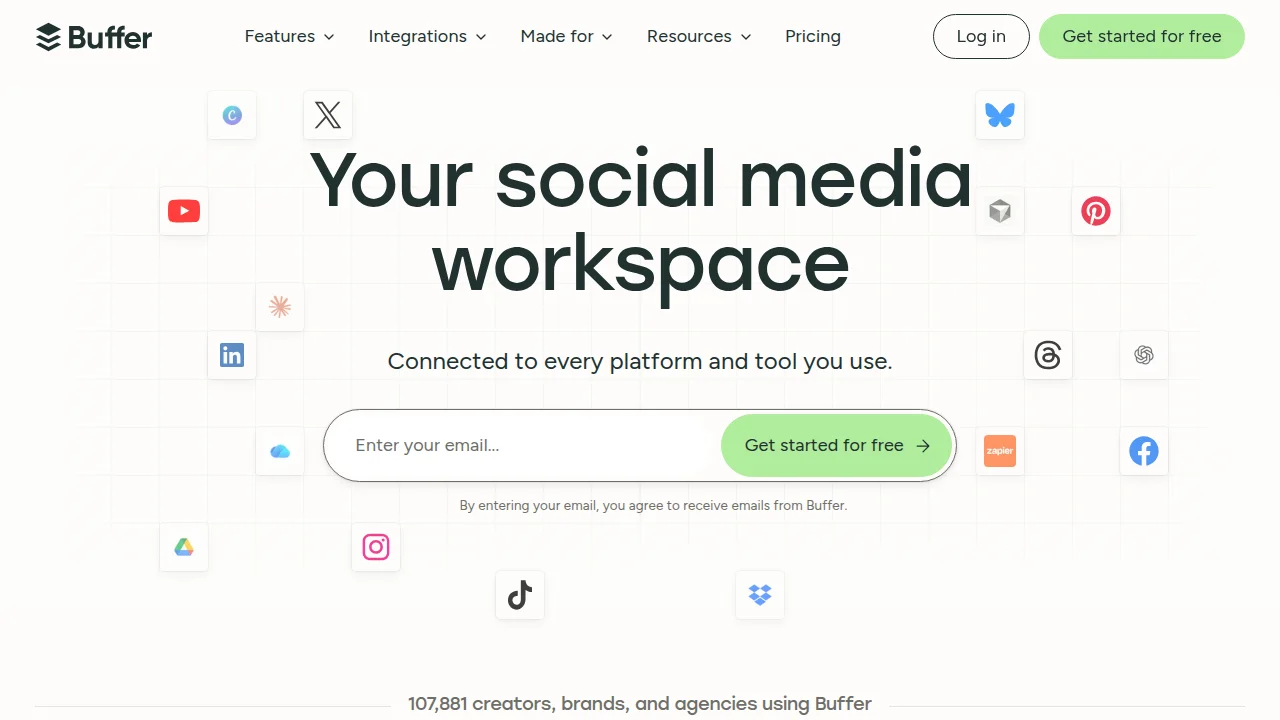
Buffer is a social media scheduling and analytics tool in the same category as Typefully. You can queue and publish posts simultaneously across X (Twitter), Instagram, LinkedIn, Facebook, TikTok, Pinterest, Mastodon, Bluesky, Threads, and YouTube.
In this beginner-friendly guide, I'll walk you through Buffer's standout features, pricing, how it differs from Typefully, and exactly how to use it.
What You'll Learn
- What Buffer is and why it's ideal for automating your social media workflow
- The key differences between Buffer and Typefully (and when to use which)
- Pricing plans (from Free to Team)
- A step-by-step setup and posting walkthrough
- How Buffer compares to other social media tools (Hootsuite, etc.)
What Is Buffer?
Buffer is a tool for scheduling and analyzing social media posts across multiple platforms. As of 2026, it supports:
- X (Twitter) · Threads
- Instagram (Feed, Stories, Reels)
- LinkedIn (Personal & Company Pages)
- Facebook (Pages & Groups)
- TikTok · Pinterest · YouTube
- Mastodon · Bluesky
If you manage multiple social channels, Buffer is one of the strongest contenders out there.
Unlike Typefully, which focuses heavily on X, Buffer lets you manage every social platform from a single dashboard. Billing is per channel, making costs predictable — even if one brand uses several social accounts.
Key features:
- Free plan available: 3 channels, up to 10 queued posts per channel (as of June 2026)
- Analytics: Visualize engagement, reach, and clicks
- AI Assistant: Helps generate and optimize post copy
- Team collaboration: Approval workflows and access management on the Team plan
Buffer vs Typefully
| Category | Typefully | Buffer |
|---|---|---|
| Supported Platforms | X, LinkedIn, Threads (focused) | 11 platforms (comprehensive) |
| Strength | X-optimized, excellent writing editor | Multi-platform, analytics, team collaboration |
| Free Plan | Up to 15 posts/month | 3 channels, 10 queued posts/channel |
| Best For | People focused on X | People managing multiple social platforms |
| AI Support | Post generation | Generation + optimization + analytics |
Bottom line: If you're all-in on X, go with Typefully. If you need to cover multiple platforms, Buffer is the clear winner.
Typefully is great when X is your only playground. Buffer is the pick when you want Instagram, LinkedIn, YouTube, and everything else covered in one place.
Pricing Plans
| Plan | Price | What You Get |
|---|---|---|
| Free | Free | 3 channels, 10 queued posts per channel |
| Essentials | $5/month/channel | Unlimited posts, analytics, AI assistant |
| Team | $10/month/channel | Approval workflows, access management, collaboration |
Important: Buffer bills per channel. For a single brand running X + Instagram + LinkedIn + TikTok (4 channels), that's $20/month on Essentials. The price stays the same regardless of how many brands you manage — it's purely channel-based.
How to Use Buffer (Beginner Walkthrough)
Step 1: Connect Your Accounts
- Sign up for Buffer (free)
- Add each social platform you want to use as a "channel"
- Authenticate the accounts you want to post to
Step 2: Create a Post
- Click "New Post" in the dashboard
- Add your text, images, or video
- Select which channel(s) to publish to (you can pick multiple)
- Set a date and time, then hit "Schedule"
Step 3: Review Analytics
- Check engagement and reach for each post
- Let the AI suggest optimal posting times
- Visualize which social platforms are performing best
How Buffer Compares to Other Social Media Tools
| Tool | Key Strength | Best For |
|---|---|---|
| Buffer | Multi-platform, analytics, team | Managing multiple social accounts |
| Typefully | X-focused, writing editor | X power users |
| Hootsuite | Enterprise-grade | Large teams |
| Later | Instagram-first | IG-centric brands |
| Sprout Social | Feature-rich, premium pricing | Enterprise organizations |
Buffer's biggest appeal is that you can start for free and scale up as your needs grow.
Questions Readers Ask
Q1. Is it really free?
Yes — the Free plan is permanently free. You get 3 channels with up to 10 queued posts per channel.
Q2. Does it support X (Twitter)?
Absolutely. Buffer supports X along with 10 other platforms (as of 2026).
Q3. Should I switch from Typefully?
If X is your main focus, stick with Typefully. But if you want to manage multiple social platforms in one place, Buffer is the better fit.
Q4. Can my team use it?
Yes — the Team plan ($10/month/channel) includes approval workflows and access management.
Q5. How deep do the analytics go?
Buffer visualizes engagement, reach, click counts, and optimal posting times.
Summary: Who Should Use Buffer
The verdict:
- Managing multiple social platforms → Buffer is the clear choice
- Focused entirely on X (Twitter) → Typefully is also a strong option
- Collaborating as a team → Buffer Team plan
- Want to try it for free → Buffer Free (permanently free)
For anyone aiming to automate their social media workflow, Buffer is the most well-rounded tool available in 2026. Head over to the official site and create a free account to get started.
- [2026] Typefully Complete Guide! Free X (Twitter), LinkedIn & Threads Post Scheduling
- [2026] Okara Influencer Agent Complete Guide! The Ultimate AI-Powered Influencer Marketing Automation Tool
- [2026] Gumroad Complete Guide — How to Sell Digital Products from Japan and Earn Income
- [2026] Meta Muse Complete Guide! The Agent-Powered Image Generator and the Privacy Debate Surrounding It
Related Reading
- [2026] Squarespace vs WordPress Ultimate Comparison 2026: How to Choose a Website Builder for Beginners
- [2026] Okara Influencer Agent Complete Guide! The Ultimate AI-Powered Influencer Marketing Automation Tool
- [2026] Typefully Complete Guide! Free X, LinkedIn & Threads Post Scheduling
- [2026] Gumroad Complete Guide — How to Sell Digital Products from Japan and Earn Income
- [2026] Top 5 Overseas note.com Alternatives Compared! KaryaKarsa, Ghost, Ko-fi, Medium & Substack
Share this article
Related articles
Jun 30, 2026
Typefully Complete Guide 2026: Schedule X, LinkedIn & Threads Posts for Free

Sep 5, 2026
AI Personal Brand Playbook 2026: Become the Authority in Your Niche with 45 Minutes a Week (Content + Distribution + Strategy)
Jun 30, 2026
X (Twitter) Official MCP Complete Guide 2026: Automate Search, Posting & Trend Fetching with AI Agents
Aug 1, 2026
BREAKING (July 31, 2026): DeepSeek V4 Flash Official API Goes Public Beta! Agent Performance Surpasses V4 Pro Preview — Native Support for 6 Tools
Sep 1, 2026
TIDAL Drops Its Platform Fee to 0%: Direct-to-Fan Sales That Give Artists 100%, Explained (2026 Guide)

Aug 15, 2026
What Can You Do with the Digital Agency’s MCP for Administrative Procedures? A Beginner-Friendly Guide to Analyzing 75,000 Government Records with AI (2026)