Summary
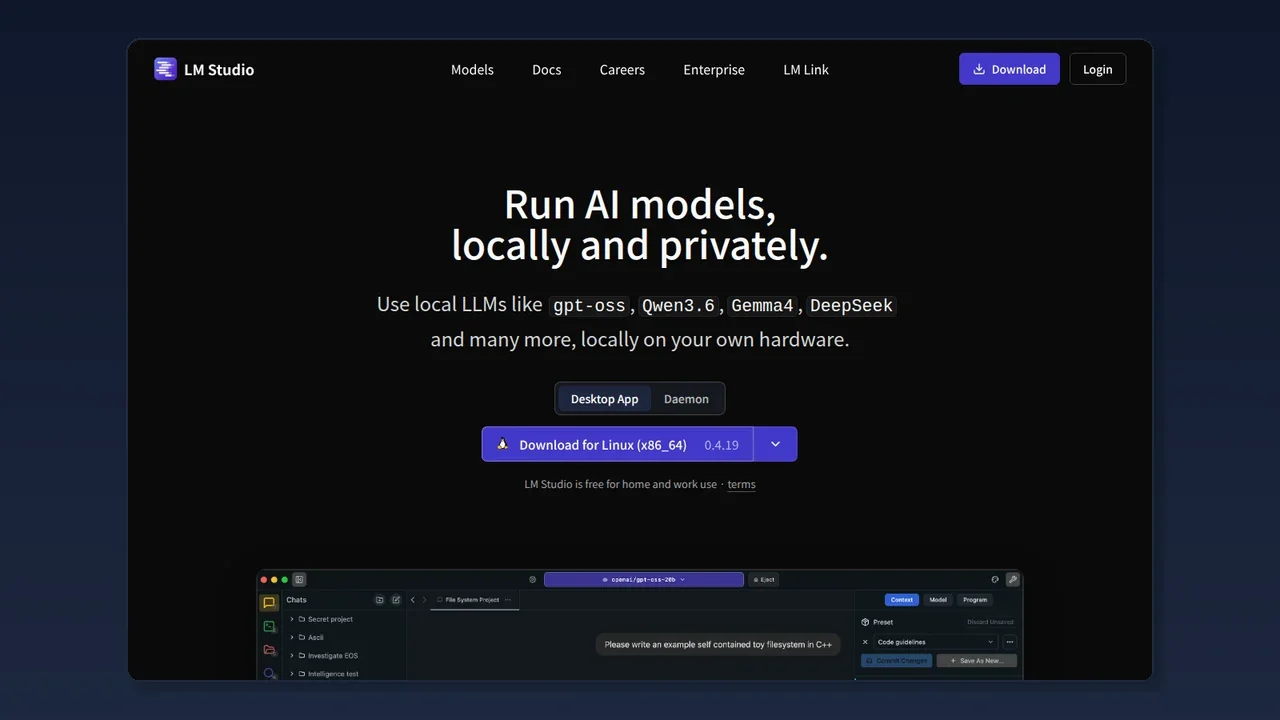
LM Studio Bionic is "a new app that uses open models (free, flexible AI that runs on your own PC) not just for chat, but as an agent that does actual work." It can write code, build PDFs and slides, and even do offline voice input — while keeping your privacy.
LM Studio Bionic Review 2026: An AI Agent for Open Models (Local AI)
"Want a local AI agent that runs your open models for you, without sending everything to the cloud?"
Bottom line: LM Studio Bionic is "a new app that uses open models (free, flexible AI that runs on your own PC) not just for chat, but as an agent that does actual work." It can write code, build PDFs and slides, and even do offline voice input — while keeping your privacy.
Based on the LM Studio official blog (July 16, 2026) and related news, explained for beginners.
What is LM Studio Bionic?
It's an AI agent app built for open models (local AI).
Until now, LM Studio was "an app to run AI models on your PC." Bionic is a new, standalone app that drives those models as an agent that actually gets work done.
In familiar terms:
- Regular LM Studio: "chat one-on-one with a smart AI"
- Bionic: "tell the AI 'investigate and fix this folder's code,' 'summarize this material into slides,' and it does it autonomously"
Per the official wording: "Bionic is an AI agent that handles coding, research, and complex documents/files with open models."
Why "for open models"?
AI agents usually use "cloud giants" like Claude or GPT. Bionic puts open models (Llama, Qwen, DeepSeek, Gemma — freely usable AI) front and center.
Three benefits:
- Privacy — run the model on your PC, data stays local
- Cost — avoid per-call cloud API fees, pick any model you like
- Freedom — try new open-source models immediately
LM Studio promises all users "Zero Data Retention" and "we don't train on your data."
Three things Bionic does
1. Coding (Code project)
Point a local folder as a "Code project" and ask the AI:
- "Investigate this codebase"
- "Fix the bug"
- "Add a new feature"
Inline diffs show each change; agent search finds related files fast and explains unknown code. Models include open ones like GLM 5.2andKimi K2.7 Code. Develop cheaply.
2. Documents / slides / spreadsheets (Work project)
General productivity and knowledge work:
- Handle PDFs, decks, spreadsheets
- Organize and summarize existing docs
- Build materials and presentations from scratch
Work projects process documents in a sandbox (isolated environment), protecting other PC files.Auto-checkpoints let you safely review or revert AI changes.
3. Offline voice input
Ships Voxtral (Mistral AI's high-quality multilingual real-time transcription):
- Launch the voice keyboard from any app
- Type directly where the cursor is
- All transcribed on-device (offline)
"Dictate ideas into text" works while keeping privacy.
Where do models run?
Bionic lets you pick where models execute per task:
| Location | Detail |
|---|---|
| Local | Run on your PC (max privacy, no network) |
| LM Link | Connect to LM Studio on another machine |
| LM Studio Secure Cloud | Heavy complex tasks on largest open models in cloud (zero data retention) |
Even on cloud, zero data retention is default — "requests processed temporarily, not kept after."
How is it different from regular LM Studio?
| Item | LM Studio (classic) | LM Studio Bionic |
|---|---|---|
| Main use | Run model, chat | Model as "agent that works" |
| Code/docs | Assist-level | Full Code/Work projects |
| Diff/checkpoint | None | Inline diff, auto-checkpoint |
| Voice input | None | Offline transcription (Voxtral) |
| Position | Base app | New standalone app (can coexist) |
Getting started (beginner)
Official steps are simple:
- Download LM Studio Bionic — a new app separate from LM Studio
- (For cloud models) Create LM Studio account, set billing
- Create a project (Code or Work), pick a model
- Give Bionic the work
For local models, download the latest open model inside Bionic and use it for chat or agent tasks immediately. For advanced config, the classic LM Studio coexists.
Recommended uses (author's picks)
-
Start with local model for code investigation — runs on your PC only, so secret code stays local. Begin with "explain what this function does."
-
Delegate "material building" to Work projects — PDF summary and slide creation are safe with sandbox + checkpoint. Good for first drafts without fear of breaking originals.
-
Heavy tasks on cloud, light on local — not "everything cloud." Daily free local model, Secure Cloud only when truly hard. Balances cost and privacy.
Questions Readers Ask
Q. How is it different from LM Studio? Bionic is a new standalone app that "makes the AI work as an agent." LM Studio is the base that runs models. Both coexist.
Q. Free? Local models run free. Cloud models (LM Studio Secure Cloud) incur account billing.
Q. Does data leave? Local execution stays on-device. Cloud also defaults to zero data retention (not kept after request).
Q. What models? Open models like gpt-oss, Qwen, Gemma, DeepSeek. Coding supports GLM 5.2, Kimi K2.7 Code, etc.
Q. Beginner-friendly? Yes. Start with "explain this code" — diffs are readable, good for learning.
Q. Japanese voice input? Voxtral is multilingual and runs offline.
Conclusion
LM Studio Bionic is a new app that turns "open models into working AI, beyond chat."
- Coding (Code) and documents (Work) handled by the agent
- Offline voice input (Voxtral) from speech to text
- Pick model execution: local / LM Link / Secure Cloud
- Zero data retention, privacy-first
- Free to start with local models
Bionic fits those who want "a free, private, cost-controlled AI agent." If not "leave everything to cloud giants" but "make my PC's AI work," now is the time to try.
-> Official: LM Studio -> Bionic blog: Introducing LM Studio Bionic -> Download: LM Studio Bionic -> Discord: LM Studio Community
Related reading
Share this article
Related articles
Jul 16, 2026
QVAC (Tether) Complete Guide 2026: Running AI Locally, Explained for Beginners
Sep 5, 2026
NVIDIA PAIR in 2026: Turn Every PC at Home Into One Local AI Cluster (Free, Setup Guide)

Aug 18, 2026
DeepSeek V4 Flash Abliterated GGUF Review 2026: Run the Uncensored Model Locally & What to Know

Aug 20, 2026
Qwen3.8-27B GGUF Complete Guide 2026: How to Run Unsloth's Version on Your Home PC (File List, How to Choose, Setup Steps)

Jun 19, 2026
GMKtec M8 Mini PC Review 2026: How Far Can Local AI Go with Ryzen 5 PRO 6650H?

Jul 4, 2026
Claude Fable 5 Financial Asset Protection Guide 2026: AI Agent for Asset Management, Monitoring & Optimization