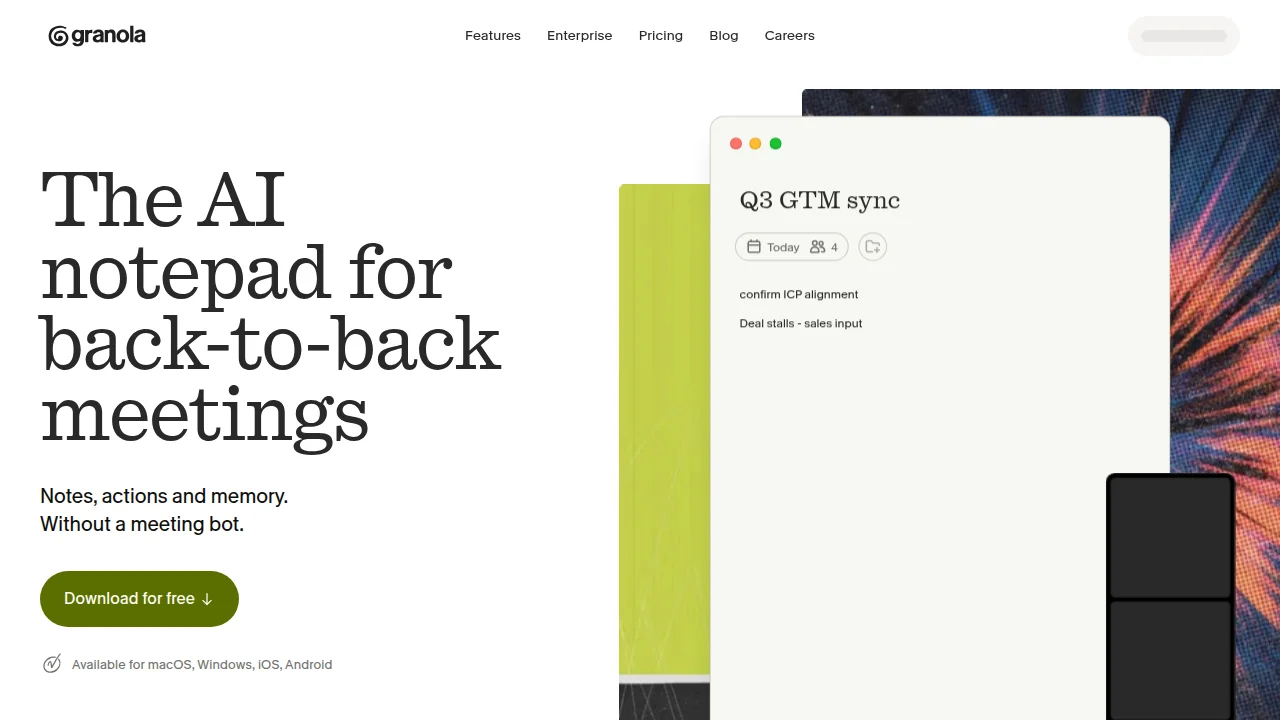
Summary
Online meetings on Zoom or Google Meet. Trying to record and make minutes, you hit snags.
Granola Review 2026: The AI Notepad That Turns Rough Notes into Perfect Meeting Minutes (No Bot)
"Want clean, perfect meeting minutes from rough notes without a bot sitting in on your calls?"
"Forgot to stop the recording again…" "The bot joined and everyone froze…"
Online meetings on Zoom or Google Meet. Trying to record and make minutes, you hit snags.
That's where Granola comes in.
In one line: an AI notepad that "completes your rough notes into perfect minutes — without putting a bot in the meeting."
This guide covers, for beginners:
- What Granola is (decisive difference from other tools)
- Actual usage (step-by-step)
- Pricing (what's free?)
- Comparison with 5 rivals (Otter, Fathom, Fireflies…)
- Pros & cons
- Recommended uses
What is Granola? No-bot mechanism
Granola is an AI meeting-notes tool founded in London in 2023.
Its defining feature: no bot joins the meeting.
Decisive difference from traditional tools
Otter, Fathom and many others put a dedicated bot in the meeting to record and transcribe. Granola doesn't.
| Item | Granola | Otter/Fathom (bot-type) |
|---|---|---|
| Meeting join | No bot (captures audio locally) | Bot enters as participant |
| Usage | You take rough notes -> AI completes | Auto-transcribes |
| Psychological barrier | None (same as normal meeting) | "Being recorded" can tense people |
| Output | Notes + AI-organized minutes | Auto-transcript + summary |
Granola is designed so "humans think, AI completes." That's why "your notes remain" is its strength.
Actual usage (step-by-step)
Step 1: Install the app
Download the Mac or Windows desktop app. A browser version exists, but the app wins on audio stability.
Step 2: Start the meeting
Works with any meeting tool — Zoom, Google Meet, Teams. Just open Granola and start the meeting.
Step 3: Take rough notes
Type keywords you think matter — no need for perfect sentences. Example:
- Budget decided by Q3
- Yamada owns competitor research
- Next: next Friday
Step 4: AI completes the minutes
After the meeting, Granola generates readable minutes from recorded audio + your notes. It picks up speeches missing from your notes and fills them in.
Step 5: Edit & share
Integrate to Notion, Slack, HubSpot (Business and above). Copy as Markdown too.
Pricing
Granola has 3 plans.
| Plan | Price | Main content |
|---|---|---|
| Basic (free) | USD 0 | Unlimited meetings · AI minutes · 30-day history limit |
| Business | USD 14 / user / mo | Unlimited history · Notion/Slack/HubSpot/Zapier · advanced AI |
| Enterprise | USD 35+ / user / mo | SSO · org-wide settings · AI training opt-out |
The free plan genuinely works — no meeting cap, full features within 30-day history. Try free, then consider paid.
Comparison with 5 rivals
Many AI minute tools exist beyond Granola. Compare the top 5.
| Tool | Method | Free plan | Min paid |
|---|---|---|---|
| Granola | No bot · your notes completed | Yes (unlimited meetings) | USD 14/mo |
| Otter.ai | Bot joins · auto-transcribe | Yes (300 min/mo) | ~USD 10/mo |
| Fathom | Bot joins · also records | Yes (personal) | ~USD 19/mo |
| Fireflies.ai | Bot joins · CRM focus | Yes (limited) | ~USD 10/mo |
| Read.ai | Bot joins · analytics | Yes (limited) | ~USD 15/mo |
Granola's uniqueness: "no bot" + "your notes are the star." For those who value privacy and natural meeting flow.
Pros & cons
Pros
- No bot — participants relax (no "being recorded" tension)
- Your notes remain — easy to recall context later
- Free, unlimited meetings (others cap by minutes/count)
- Mac/Windows app — stable audio capture
- Easy to embed in workflow via Notion etc.
Cons
- You must take notes (not fully hands-off)
- Free plan history vanishes in 30 days
- Japanese works but may be less optimized than English
- Not for whole-team recording/analytics (individual design)
Recommended uses (think for yourself)
Don't waste Granola as "transcript substitute." Effective uses:
- Note only decisions — type just "Who · What · When." AI fills context, no detail needed.
- Write action items yourself — "Yamada brings competitor doc next time" -> Granola formats it as ToDo.
- 5-second review after meeting — skim the minutes, add corrections. Meeting output becomes an asset.
- Save to Notion directly — Business plan, one-time integration setup. Team knowledge base auto-updates.
Questions Readers Ask
Q1. Really free?
Yes. Basic is unlimited meetings, free. But minutes history deletes in 30 days; for long-term save, Business (USD 14/mo) is needed.
Q2. No bot — does it still record?
Yes. The desktop app captures meeting audio locally. With Zoom etc. running, it picks up both mic and speaker audio.
Q3. Japanese meetings OK?
Yes. Japanese speech is transcribed and summarized. Bilingual meetings with English work fine too.
Q4. Granola or Otter/Fathom?
"Hate bots joining" / "want my notes kept" -> Granola. "Fully automatic, no typing" -> Otter/Fathom. Choose by need.
Q5. Team use?
Business and above get team folders and CRM integration. But not for "manager watches all speech" (designed for individuals' own notes) — caution.
Conclusion
Granolais an AI notepad thatputs no bot in the meeting and completes your rough notes into perfect minutes.
- No bot, natural meeting flow
- Free, unlimited meetings (30-day history)
- Your notes are the star, context remains
- Business USD 14/mo, rich integration
For those who "dislike recording bots" and "want their notes kept," it's one of the best choices of 2026. Try the free plan at your next meeting tomorrow.
Share this article
Related articles
Jun 18, 2026
Okara Influencer Agent Complete Guide 2026: The AI That Automates Influencer Marketing — Full Review
Sep 4, 2026
Voz Guide 2026: On-device Speech to Text on the Apple Neural Engine — Transcribe 10 Minutes in 2 Seconds (4.7x Faster than Whisper, Swift SDK Setup)

Sep 5, 2026
AI Personal Brand Playbook 2026: Become the Authority in Your Niche with 45 Minutes a Week (Content + Distribution + Strategy)
Aug 1, 2026
BREAKING (July 31, 2026): DeepSeek V4 Flash Official API Goes Public Beta! Agent Performance Surpasses V4 Pro Preview — Native Support for 6 Tools
Aug 14, 2026
Hermes Agent Bot Mode Complete Guide 2026: Turn Your AI Agents into a Team of Named Bots with Roles, Models, Memory, and Avatars
Jul 21, 2026
WorldMonitor Complete Guide 2026: The Strongest Open-Source Geopolitical AI for Real-Time Global Awareness in One Dashboard