Summary
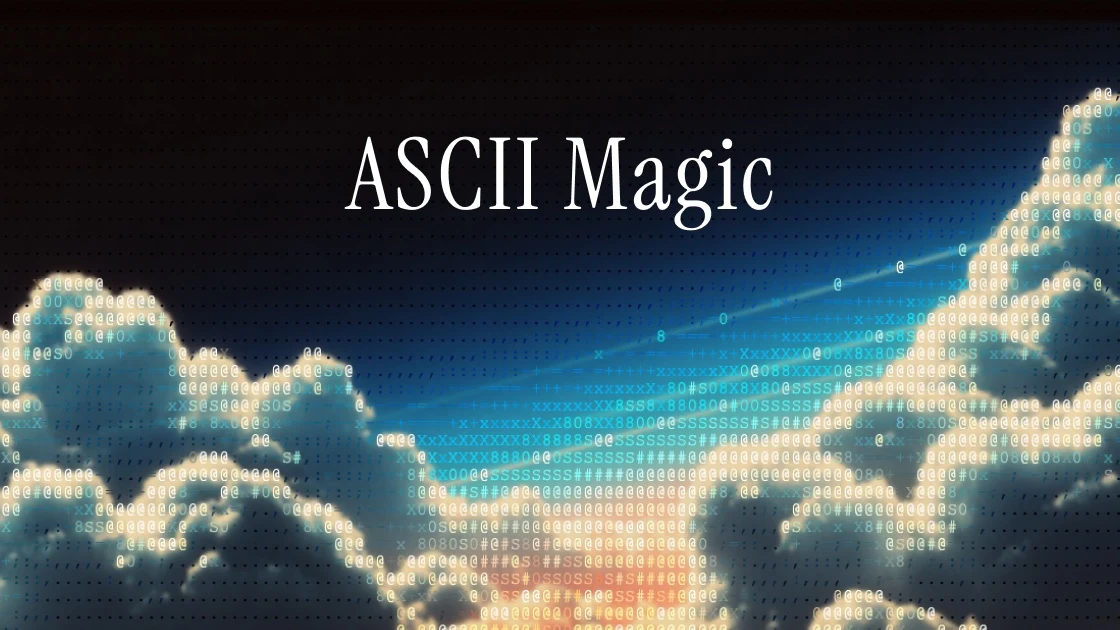
ASCII Magic (https://www.ascii-magic.com/) takes an image or video in the browser and converts it into 15 art styles — ASCII art, pixel art, LEGO-style, mosaic, VHS glitch and more. No signup, no watermark, no usage limits, and your images are never uploaded to a server.
ASCII Magic Is Addictive: Turn Photos Into Text Art Instantly (Free, 2026)
"Drop a photo in, and it turns into a picture made entirely of characters." That's the pitch for a free tool that's purely fun — so here it is.
ASCII Magic (https://www.ascii-magic.com/) takes an image or video in the browser and converts it into 15 art styles — ASCII art, pixel art, LEGO-style, mosaic, VHS glitch and more. No signup, no watermark, no usage limits, and your images are never uploaded to a server.
After actually using it, it goes well beyond "toy." This article covers what it does, how to use it, and which styles are worth your time.
What you'll learn
- What ASCII Magic can do (15 styles + video support)
- How to use it (basic image → art workflow)
- Video and animation export
- Privacy and commercial-use terms
What Is ASCII Magic? A Free Tool With 15 Art Styles
ASCII Magic is a browser-based tool that turns photos and videos into text-and-dot art. Built by Kailash (@kail_designs), it launched in March 2026 and has been shipping updates roughly weekly since — one of the most actively developed browser tools around (100k+ Instagram followers).
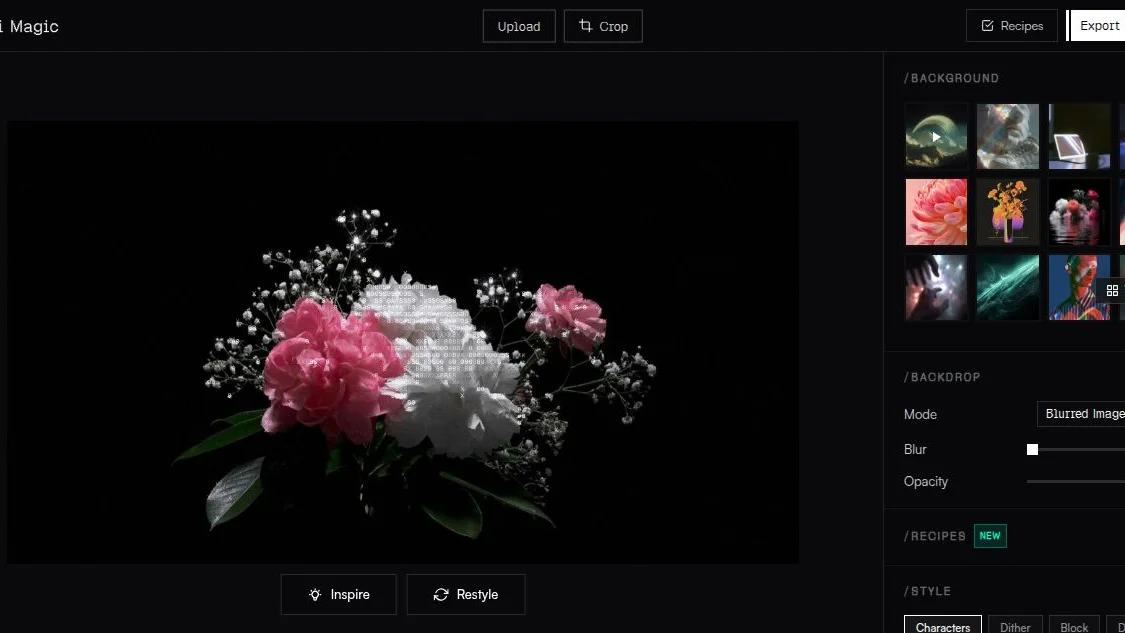
Here are the 15 styles:
| Style | What it does |
|---|---|
| Characters (ASCII) | The classic: text characters (@#S08Xx) mapped to brightness |
| Block Characters | Unicode blocks (█▓▒░) for dense, pixel-art-like detail |
| Pixel Art | 8-bit game aesthetic; doubles as a photo pixelation tool |
| Dither | 11 dithering algorithms + 16 retro palettes (Game Boy, C64, NES...) |
| Mosaic / Voxel / LEGO | Stained-glass tiles, 3D isometric cubes, LEGO-brick posters |
| Glitch / Disco & more | VHS signal-noise looks, mirror-ball sphere with lens flares |
That's a lot to click through — but the Inspire button loads a random demo image with a preset applied, and Restyle shuffles through ~60 curated looks. That's all you need to start playing.
How to Use It: Just Drop a Photo
- Open https://www.ascii-magic.com/app (no account needed)
- Drop an image (JPG/PNG/WebP/GIF, up to 40 MB / 25 MP) or a video (MP4/MOV/WebM, up to 150 MB)
- Pick a style from the top bar
- Tune the sliders on the right (font size, contrast, density...)
- Export as PNG / JPG / GIF / MP4
The preview re-renders instantly as you drag sliders. Exports go up to 4× the source resolution (a 1080p input becomes 4320×2440) — poster-grade.
The Architecture: Everything Happens in Your Browser
The most interesting part: all conversion runs locally in your browser via HTML5 Canvas. Nothing uploads, ever.

No upload step means fast processing and real privacy. The developer's own suggestion: open DevTools, watch the Network tab, and verify no upload happens yourself. Sensitive photos never leave your device.
Video and Animation Support
This is where ASCII Magic separates itself from one-shot ASCII generators:
- Video input: drop an MP4/MOV/WebM and every frame gets the same style; export as MP4 (H.264) or animated GIF
- Animation mode: character styles get wave, cascade, typewriter, and pulse presets — looping "rippling ASCII" videos in one click
- Animate Matrix (Dither): the dither pattern itself scrolls, producing a proper retro-console visual
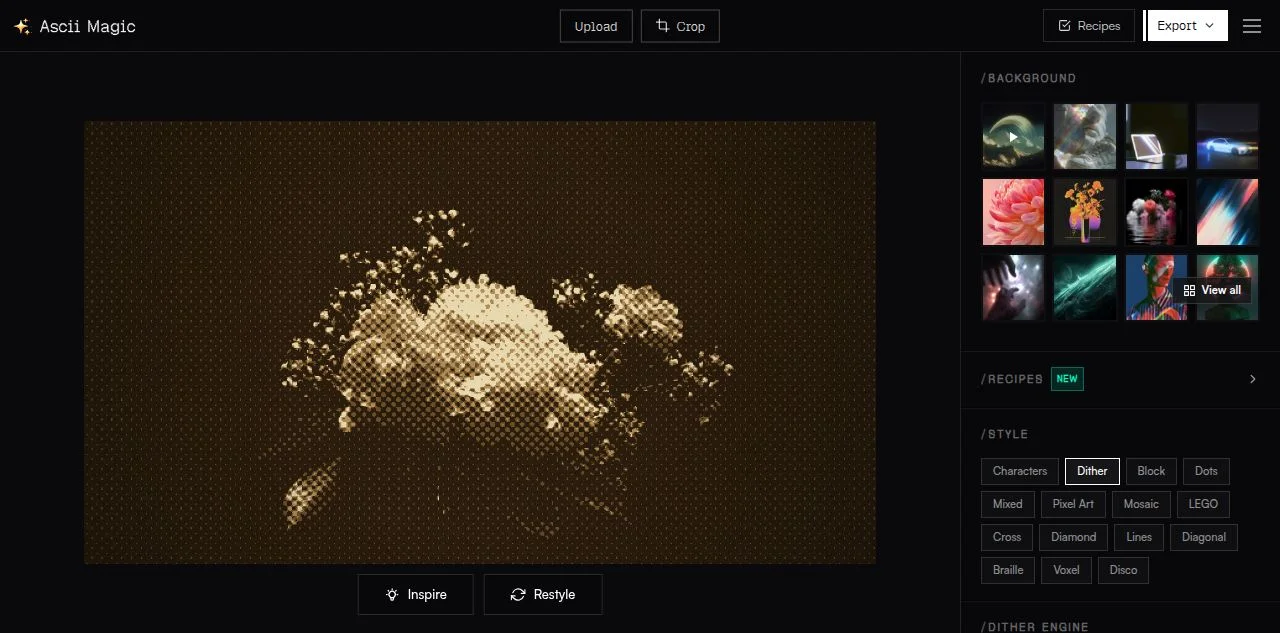
Hands-On Impressions
What I liked
- Fast. Style switches and slider changes respond immediately — the 60fps claim feels real
- The 15 styles × 15 stackable post-effects are a playground. Stack Bloom + CRT scanlines + film grain and it turns cinematic in seconds
- Recipe sharing is brilliant. Every setting compresses into a short
recipe:v1:<base64>code or URL that fits in a tweet; the recipient opens the link and gets the exact look - Commercial use is fine. Output belongs to you, no watermark, ever
What could be better
- Dark photos lose detail — brighter sources render much better
- No SVG/PDF export (PNG/JPG/GIF/MP4 only)
- English-only UI (intuitive enough that it doesn't really matter)
Who Is It For?
| If you're... | Best pick |
|---|---|
| Making retro social posts | Characters + bloom + scan lines |
| Game Boy camera nostalgia | Dither + Game Boy palette (4 shades) |
| Poster / print art | Voxel or Mosaic, exported at 4× |
| Hiding faces in photos | Pixel Art with a large font size — stays on-device |
| Looping visuals for videos | Animation mode or Animate Matrix, export MP4 |
Questions Readers Ask
Q: Is ASCII Magic really free? Yes — no signup, no watermark, no export limit, no ads. The creator funds it personally.
Q: Do my images get uploaded? No. Everything runs client-side in your browser via HTML5 Canvas. You can verify in DevTools that nothing leaves your device.
Q: Can I use the output commercially? Yes. The output is yours — client work, social, posters, merch. Only the rights of the source image apply.
Q: What's the max resolution? 4× the source (a 1080p input exports up to 4320×2440). GIF/MP4 cap at 4K.
Q: Does it work on mobile? Yes — iOS Safari 16+ and Chrome on Android are supported, with a touch-reflowed UI.
Q: Does video export keep audio? No, exported videos are silent. Add audio back in any video editor.
Q: Is there an API or is it open source?
Neither today. The recipe URL format (?r=<base64>) is the closest thing to an API for sharing configurations.
Summary: The Most Fun Free Tool I've Tried This Month
- ASCII Magic turns any photo or video into 15 styles of art, entirely in the browser
- No signup, no upload, no watermark, no limits — and commercial use is allowed
- Recipes make every look shareable in a single link
- Actively developed (1–3 updates a week since March 2026)
Open the editor, hit Inspire a few times, and you'll see why it's spreading. It costs nothing to try: https://www.ascii-magic.com/
Related articles
Share this article
Related articles
Sep 6, 2026
3 Wonderfully Weird Websites to Explore: Floor796, chippytea & oscardumlao (2026)

Sep 8, 2026
Cinematique Is a Goldmine: 150 Film Techniques Turned Into AI Prompts (Free, 2026)

Jul 23, 2026
Google Ads Transparency Center Complete Guide 2026: See Any Competitor's Ads Instantly by Company Name or URL

Aug 15, 2026
What Can You Do with the Digital Agency’s MCP for Administrative Procedures? A Beginner-Friendly Guide to Analyzing 75,000 Government Records with AI (2026)
Aug 25, 2026
OpenCut Guide 2026: The Free Open-Source CapCut Alternative for Web, Desktop & Mobile
Sep 4, 2026
Voz Guide 2026: On-device Speech to Text on the Apple Neural Engine — Transcribe 10 Minutes in 2 Seconds (4.7x Faster than Whisper, Swift SDK Setup)